Framebound app icon

Framebound

The tactile comics of yonder!

Framebound app icon

Framebound

Every comic, a real book

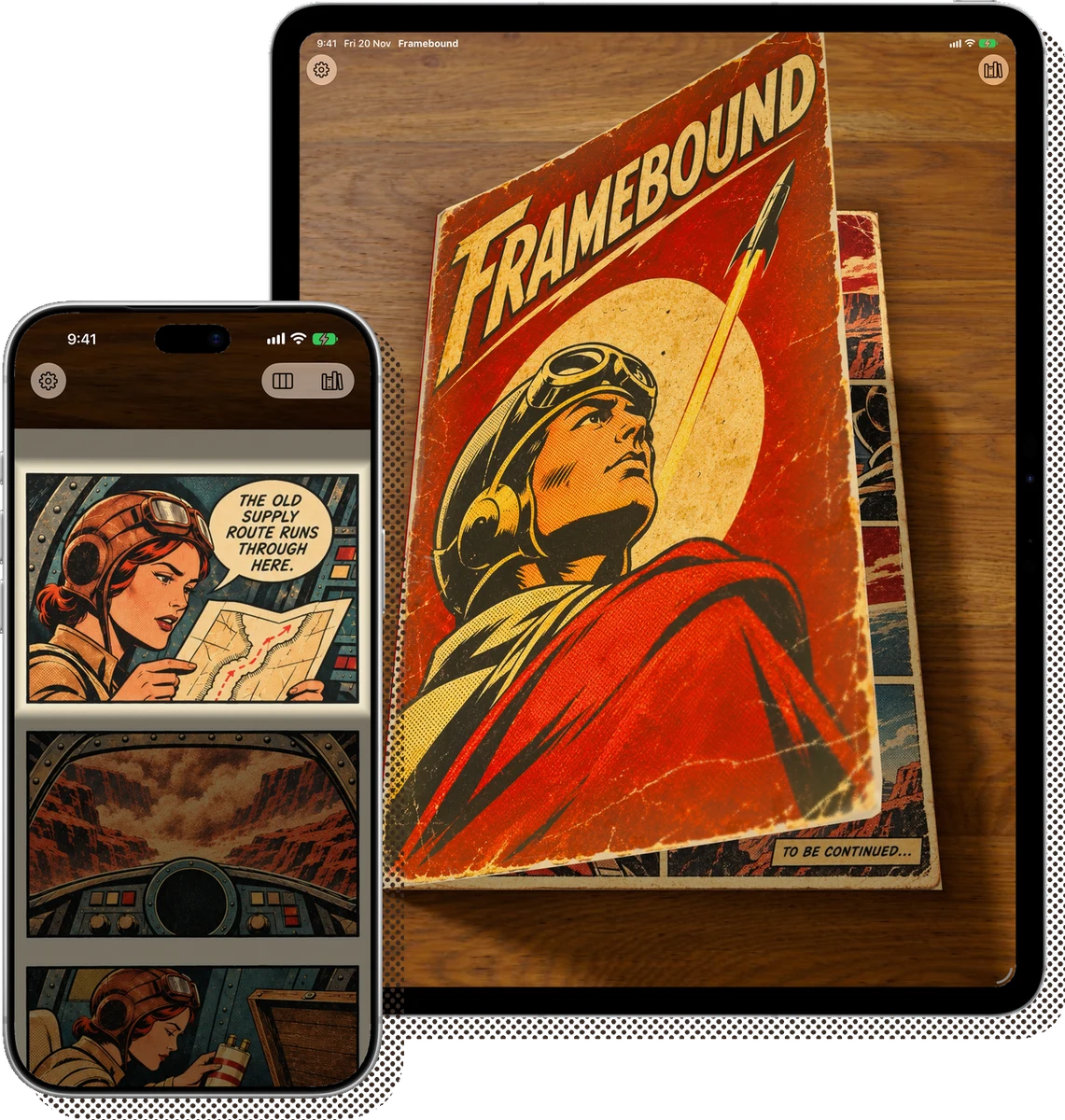
Framebound makes every comic a real book: a stapled floppy, a square-bound paperback or a hardcover album, each with its spine and thickness, and each worn by your reading — soft corners, faded covers, thumbed edges. The cover lifts under your finger, pages curl like paper, tilting the device moves the light across them, and Framebound finds the panels itself and lets you fix any it gets wrong, for good.

iPhone iPad

Public Beta Open to everyone on TestFlight — the latest build, before it reaches the App Store.

Framebound on iPad, the icon's own book on the desk, its cover lifting; in front, on iPhone, the same comic read panel by panel

Remember?

The weight of an issue in your hands. The cover that creased where your thumb always went. The colours a hair off register, the corner gone soft from one read too many. Framebound brings that back: a comic reader that treats your comics as books.

Real books, iPad size

At the size of a real comic

The cover lifts under your finger, a page curls across like paper, the light moves when you tilt the table, and Framebound walks you through panels it found itself.

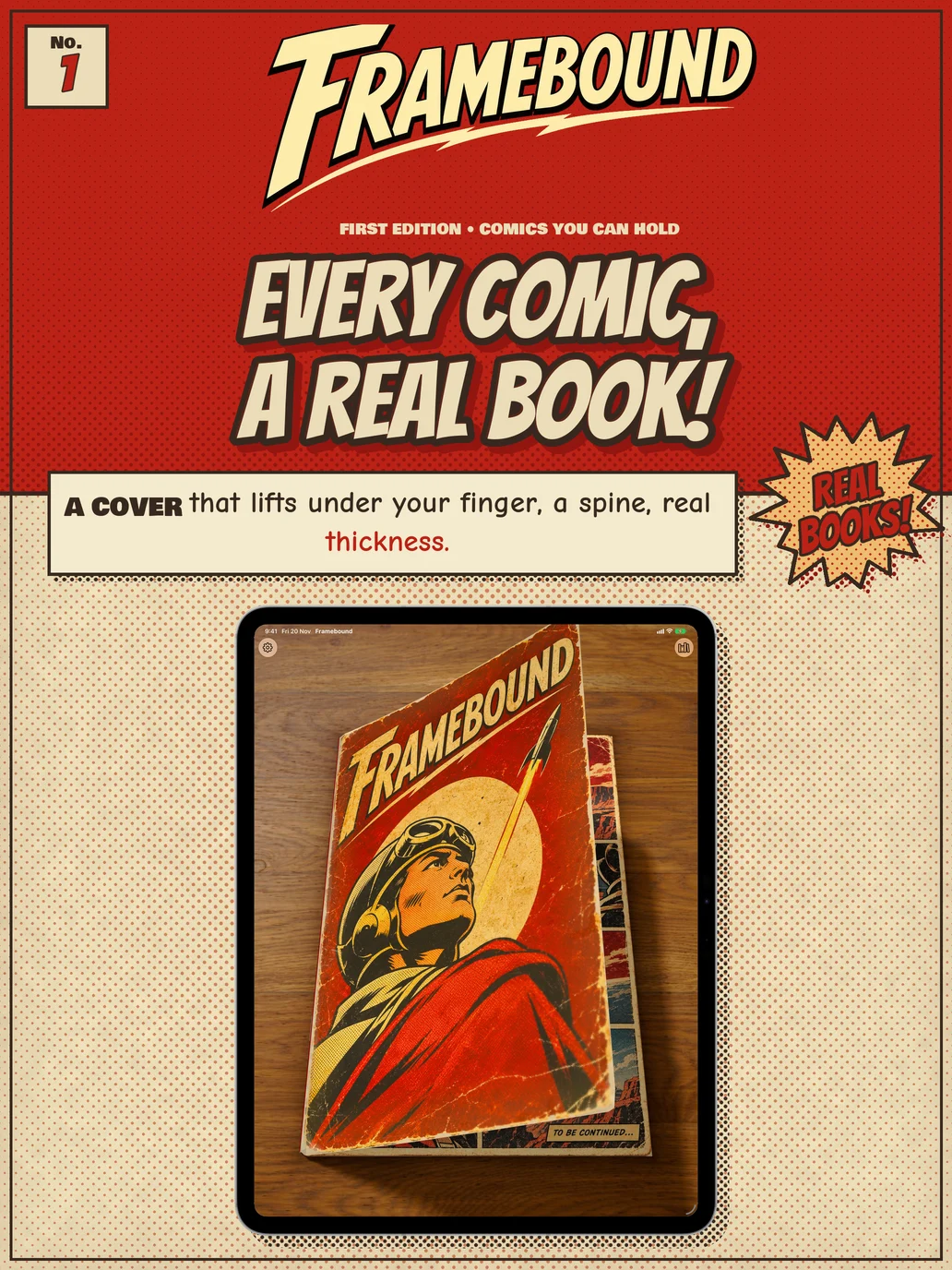
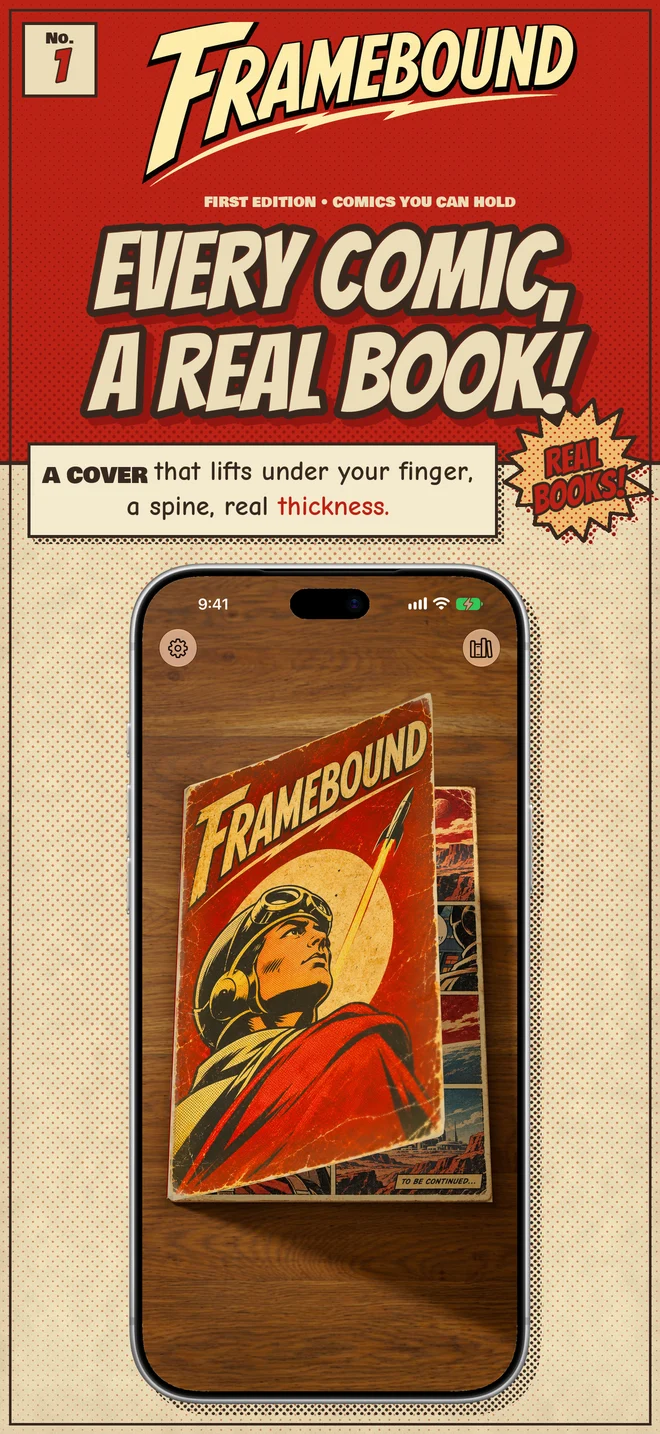
Framebound on iPad: Every Comic, A Real Book!. A cover that lifts under your finger, a spine, real thickness.
A cover that lifts under your finger, a spine, real thickness.
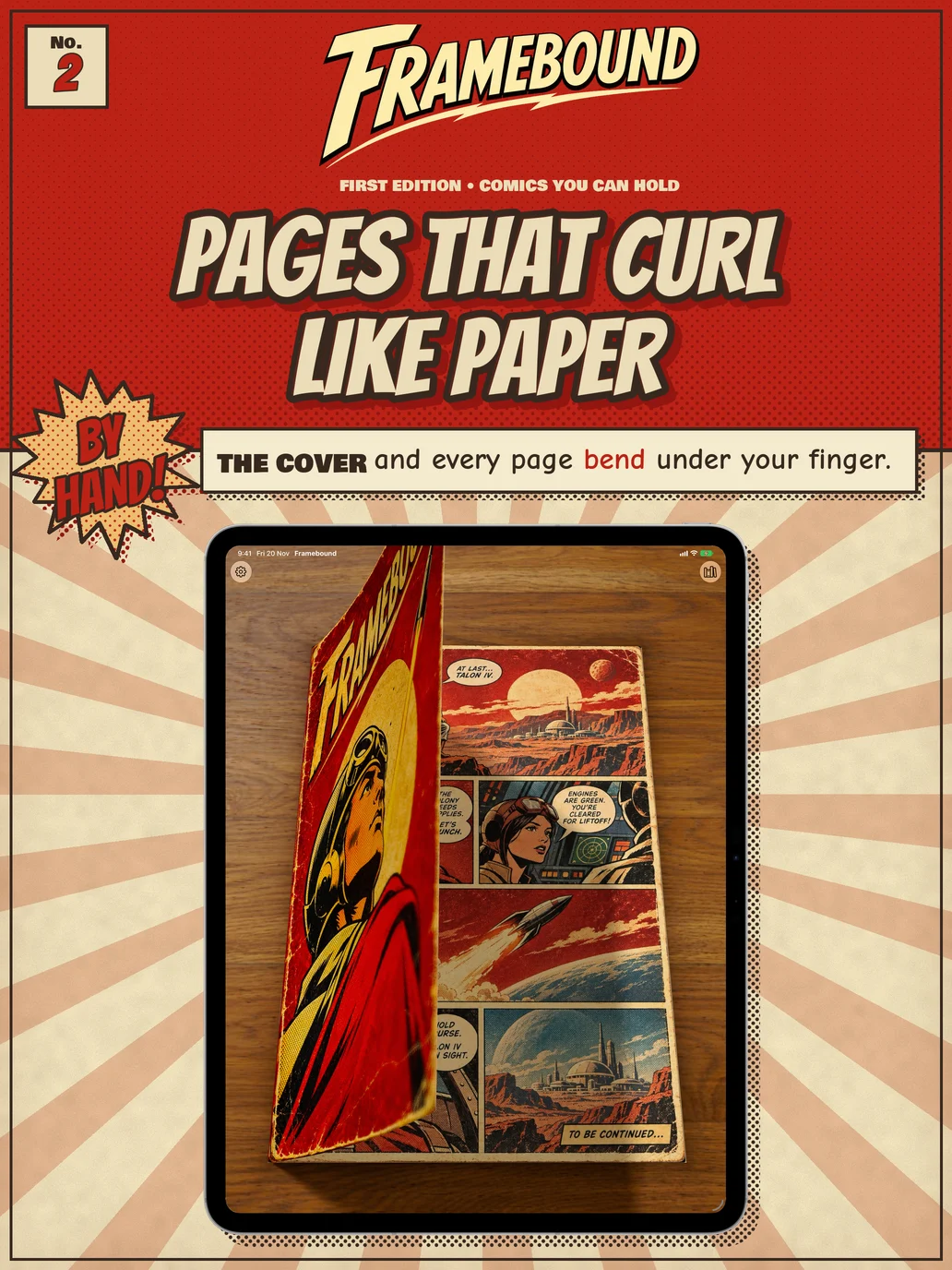
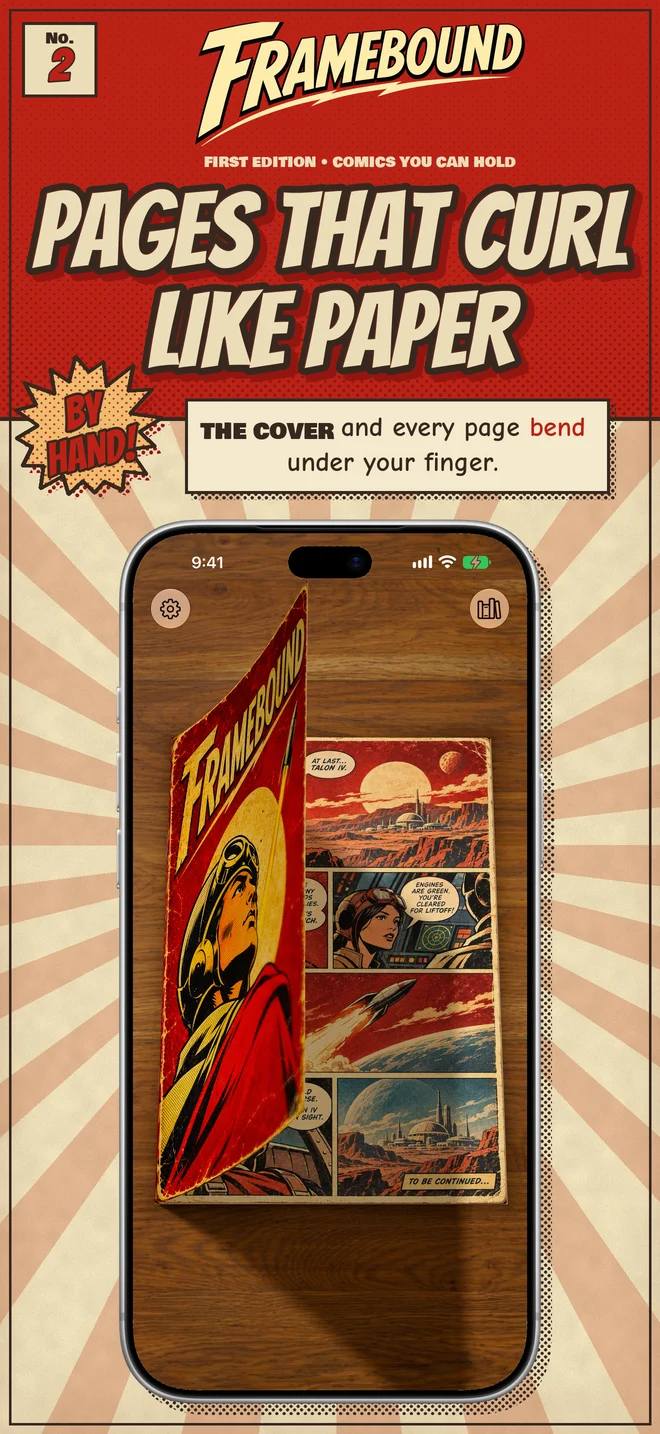
Framebound on iPad: Pages That Curl Like Paper. The cover and every page bend under your finger.
The cover and every page bend under your finger.
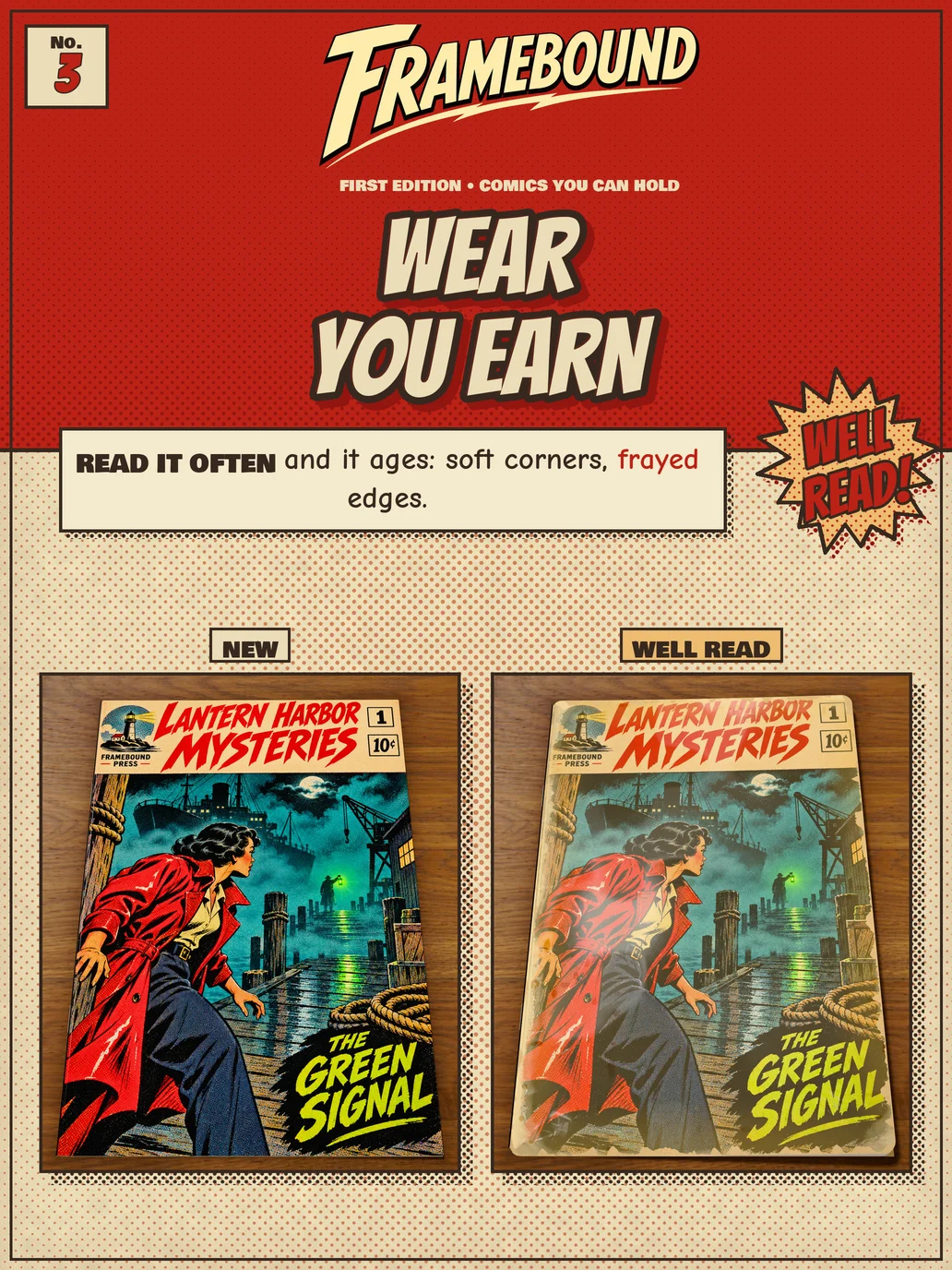
Framebound on iPad: Wear You Earn. Read it often and it ages: soft corners, frayed edges.
Read it often and it ages: soft corners, frayed edges.
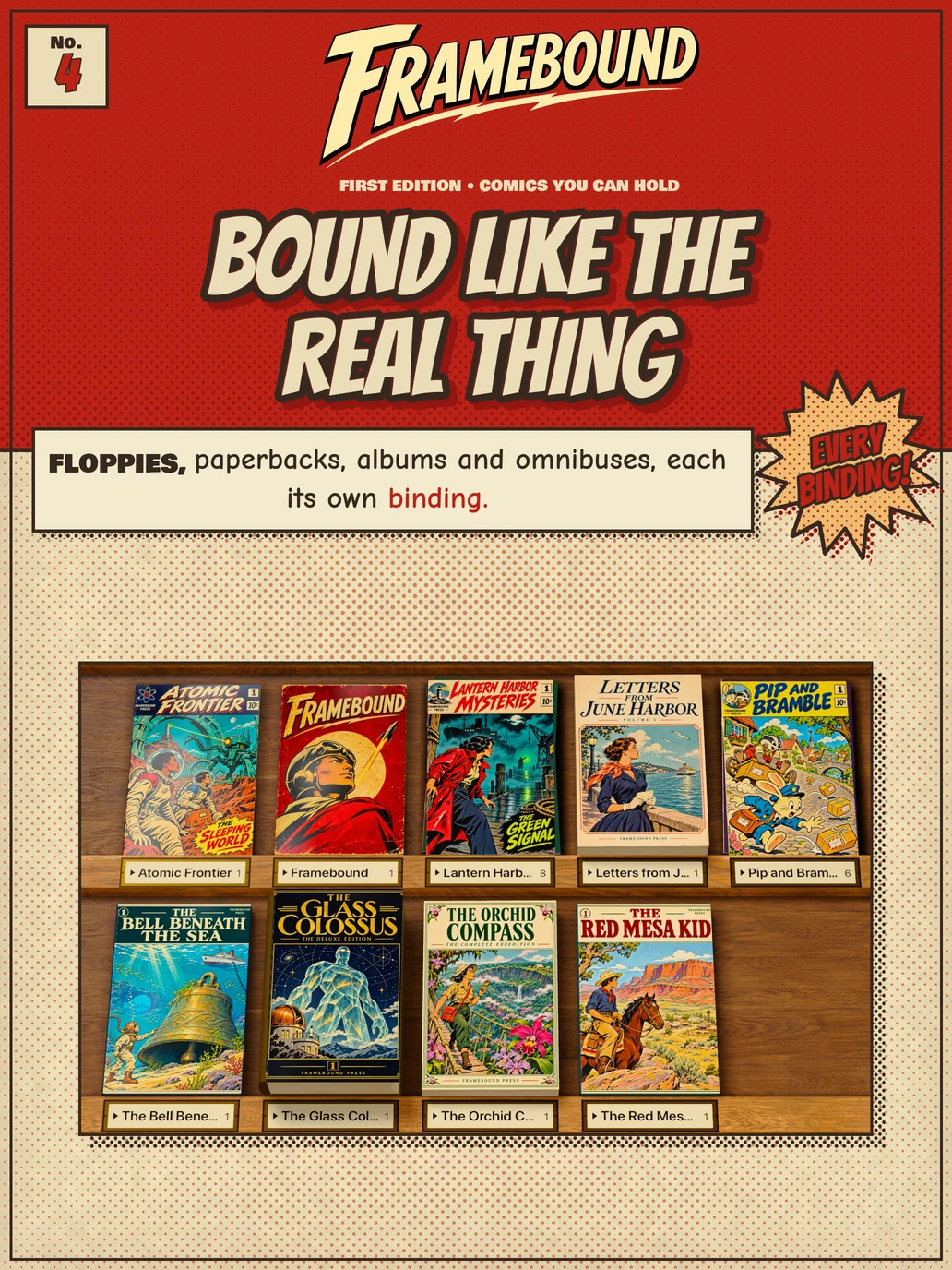
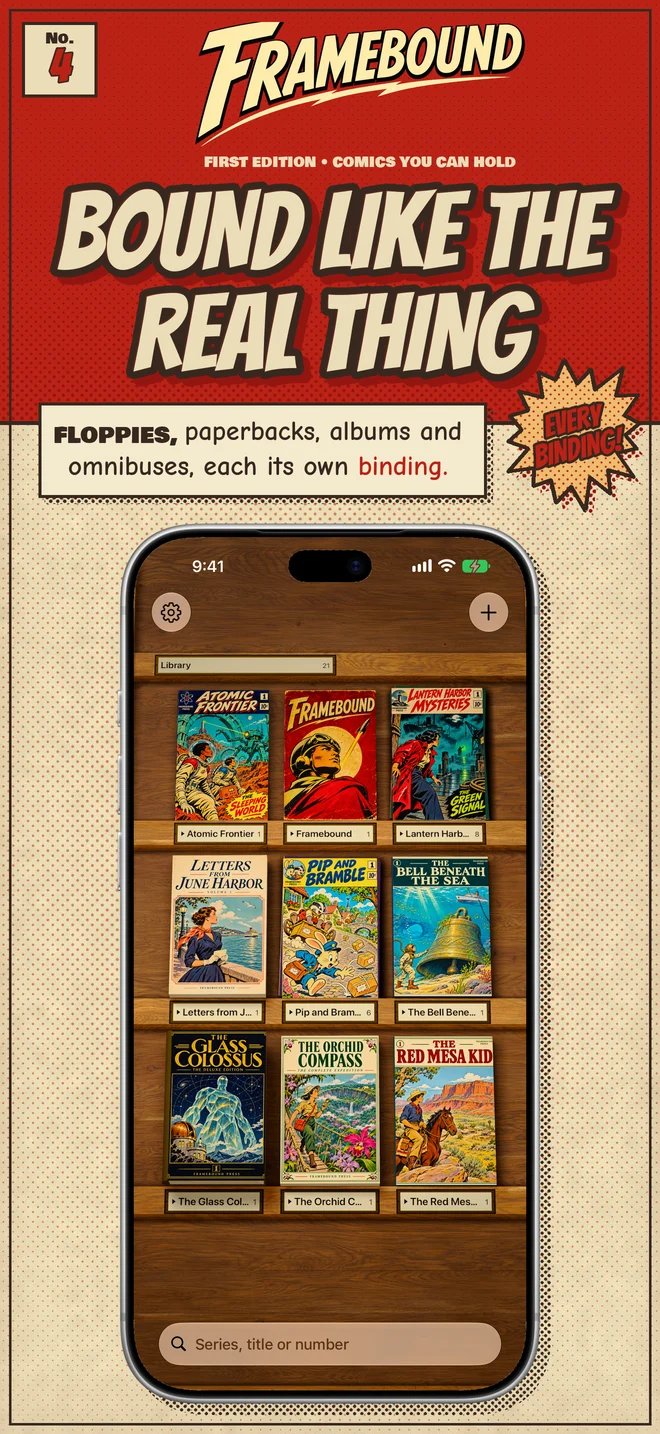
Framebound on iPad: Bound Like The Real Thing. Floppies, paperbacks, albums and omnibuses, each its own binding.
Floppies, paperbacks, albums and omnibuses, each its own binding.
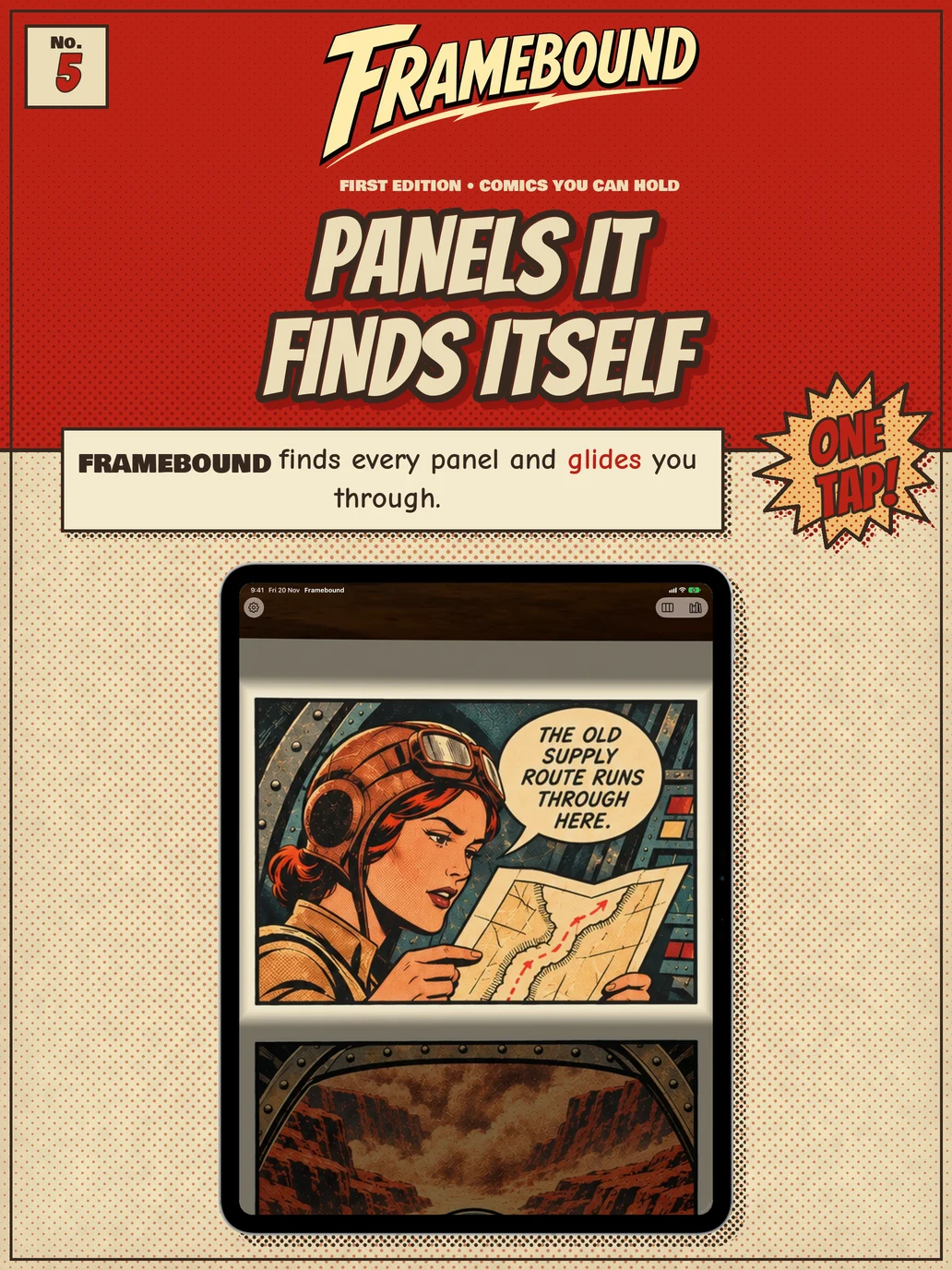
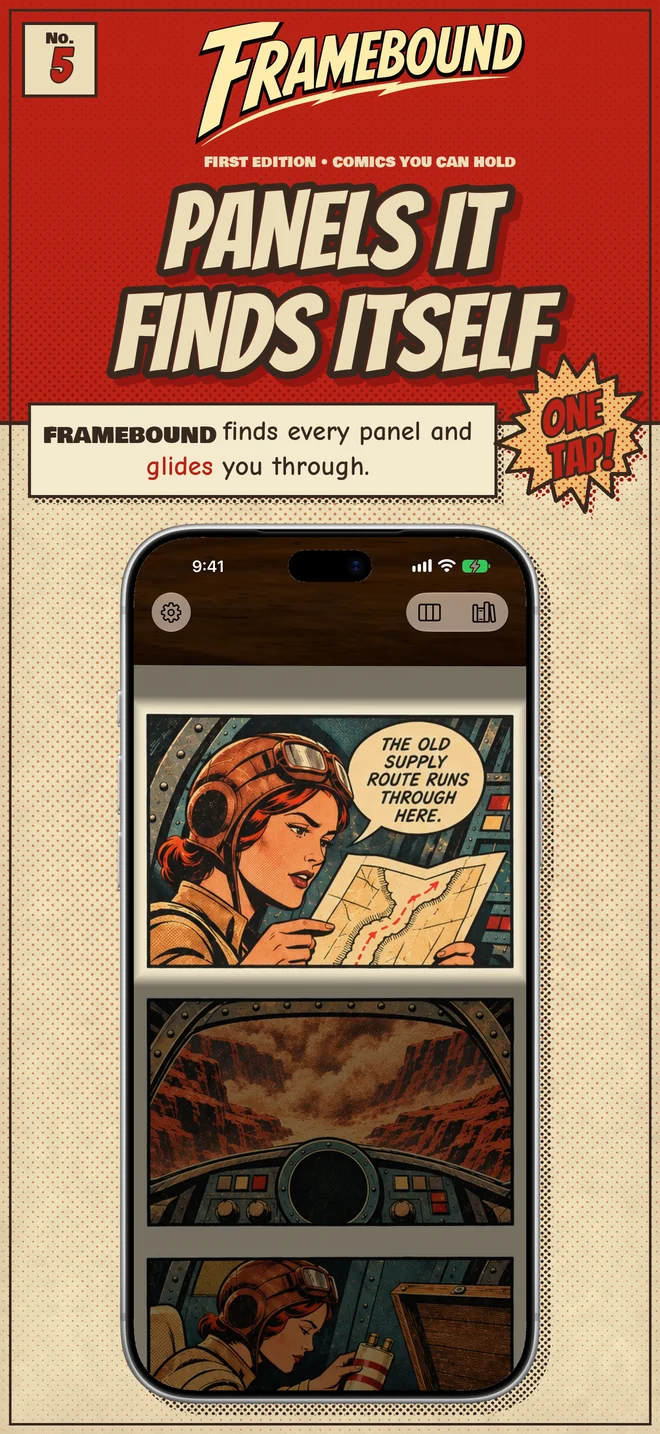
Framebound on iPad: Panels It Finds Itself. Framebound finds every panel and glides you through.
Framebound finds every panel and glides you through.
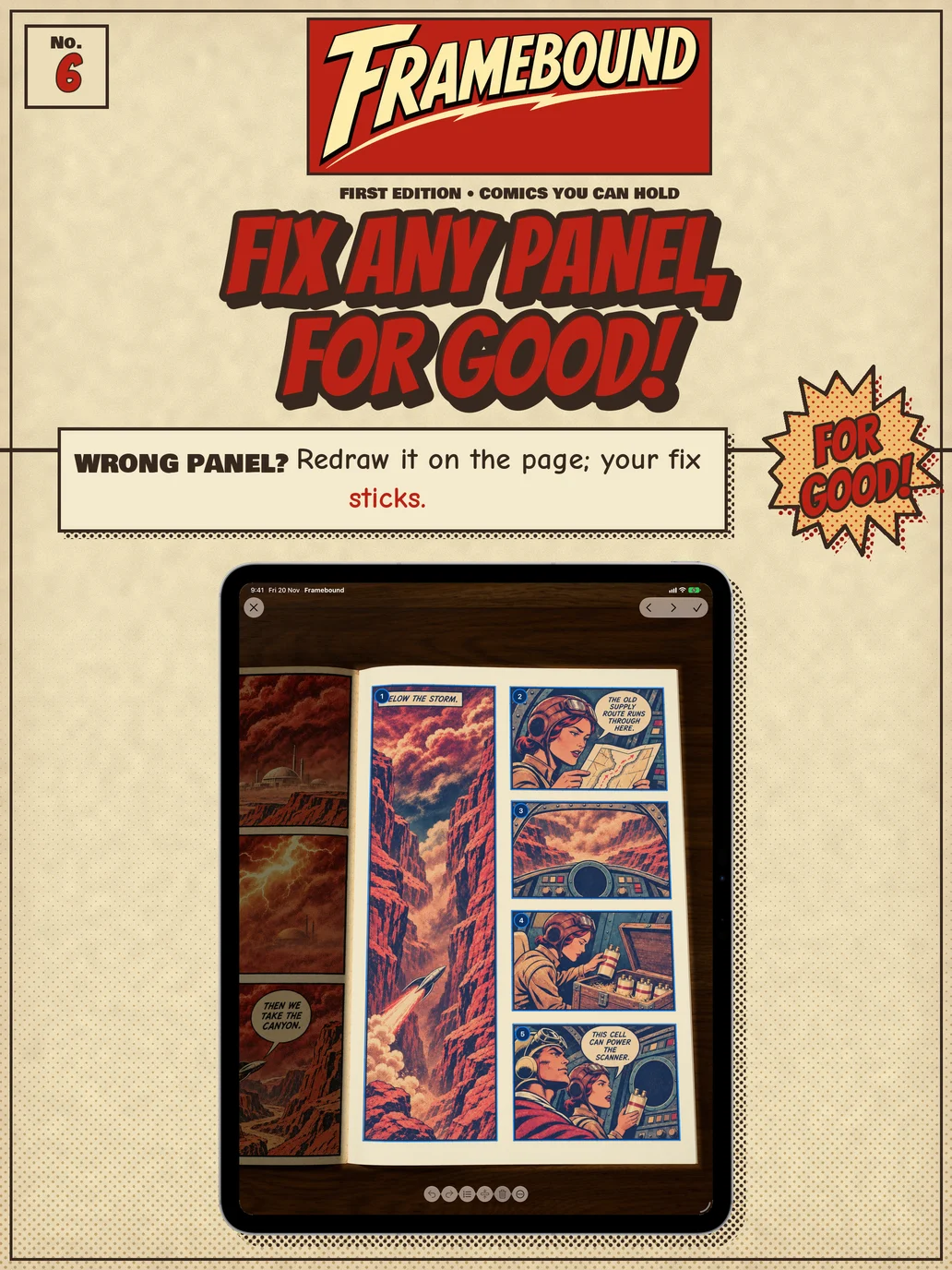
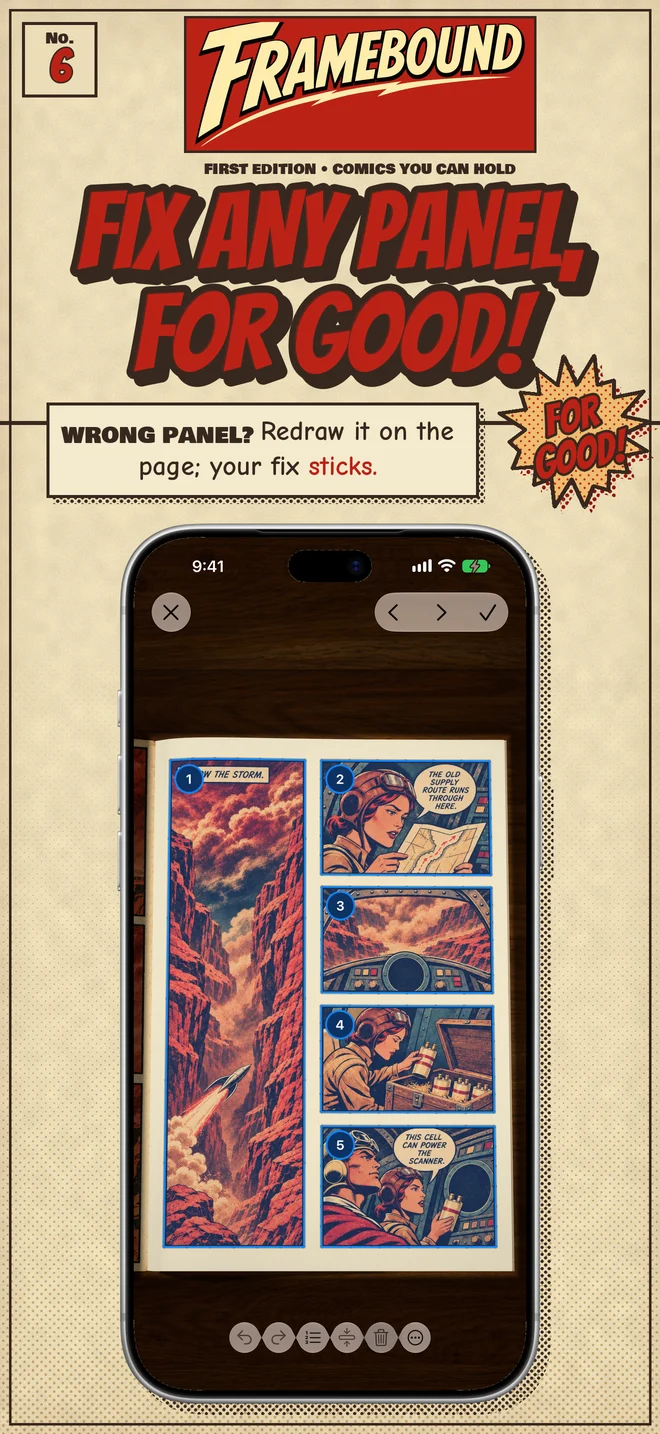
Framebound on iPad: Fix Any Panel, For Good!. Wrong panel? Redraw it on the page; your fix sticks.
Wrong panel? Redraw it on the page; your fix sticks.
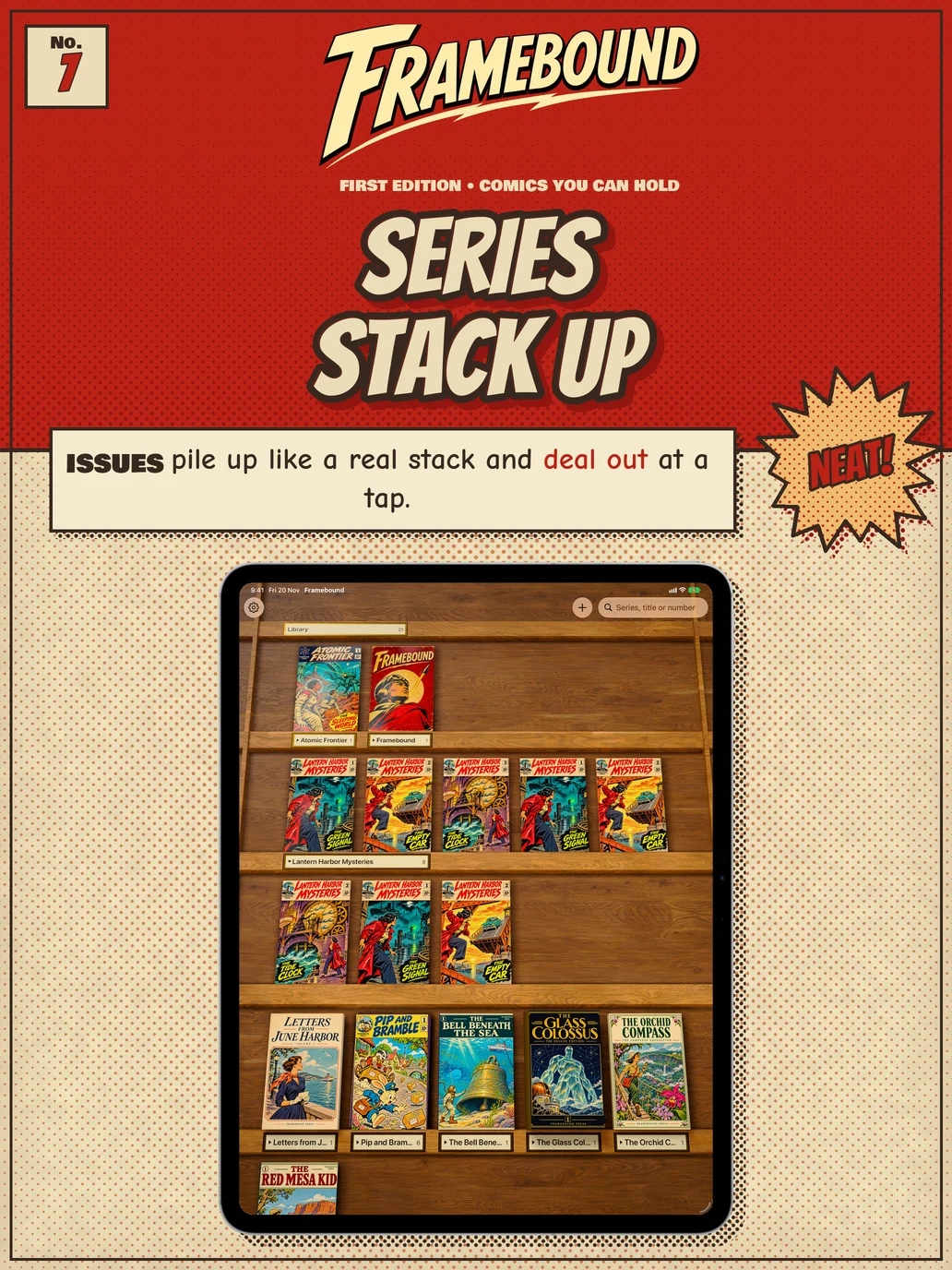
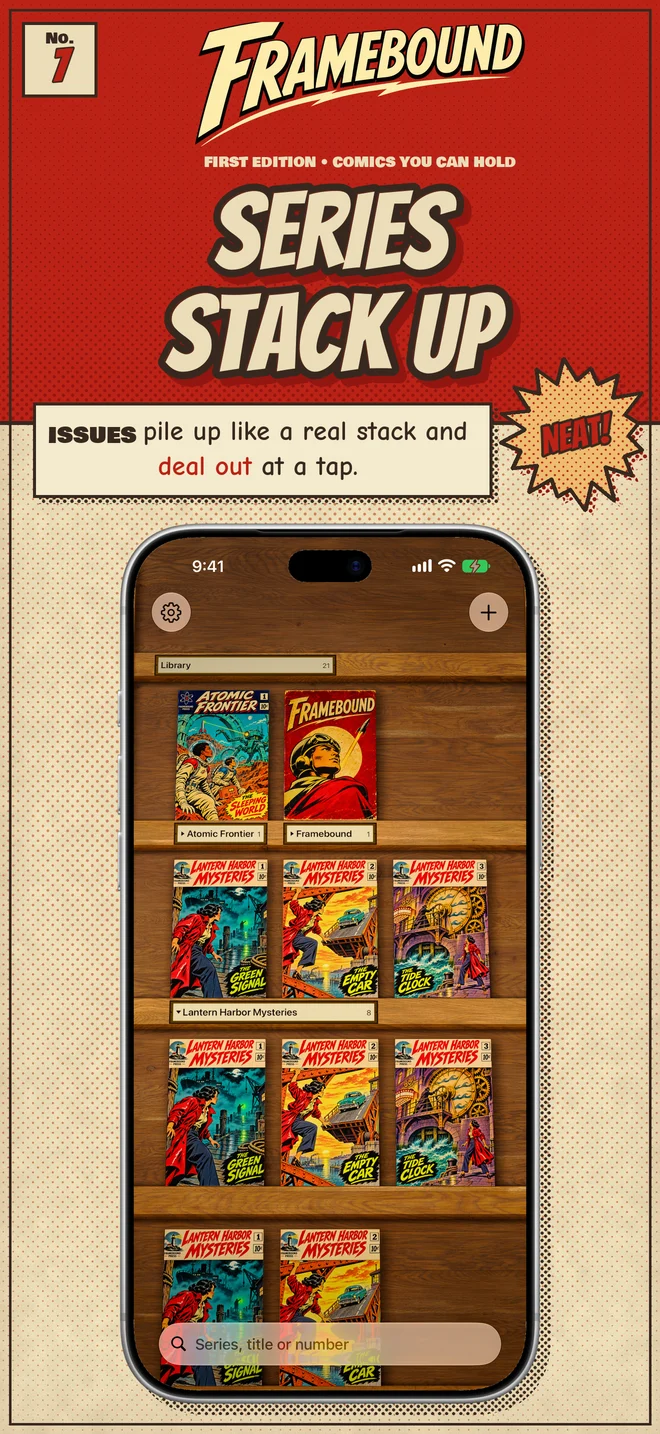
Framebound on iPad: Series Stack Up. Issues pile up like a real stack and deal out at a tap.
Issues pile up like a real stack and deal out at a tap.
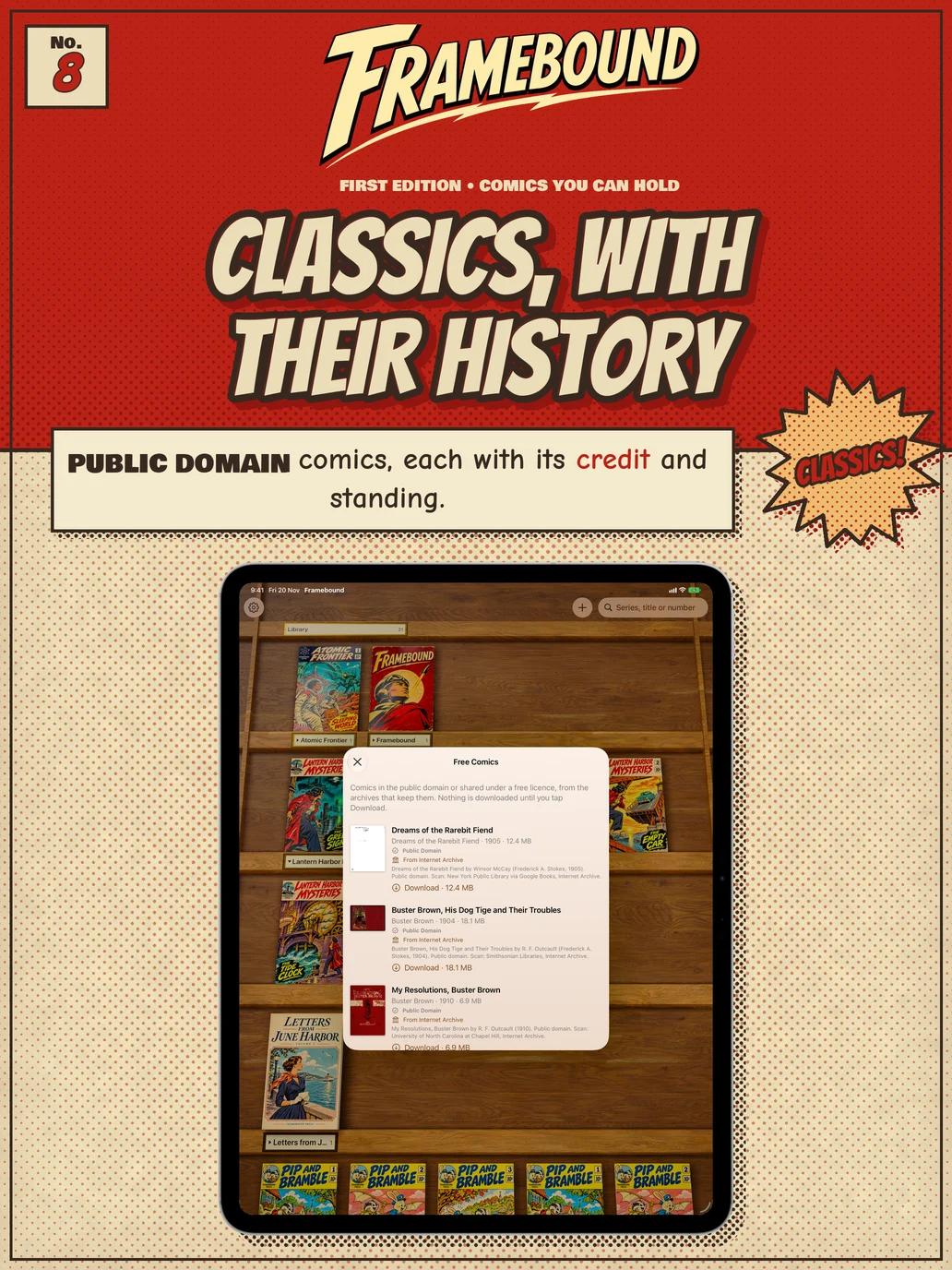
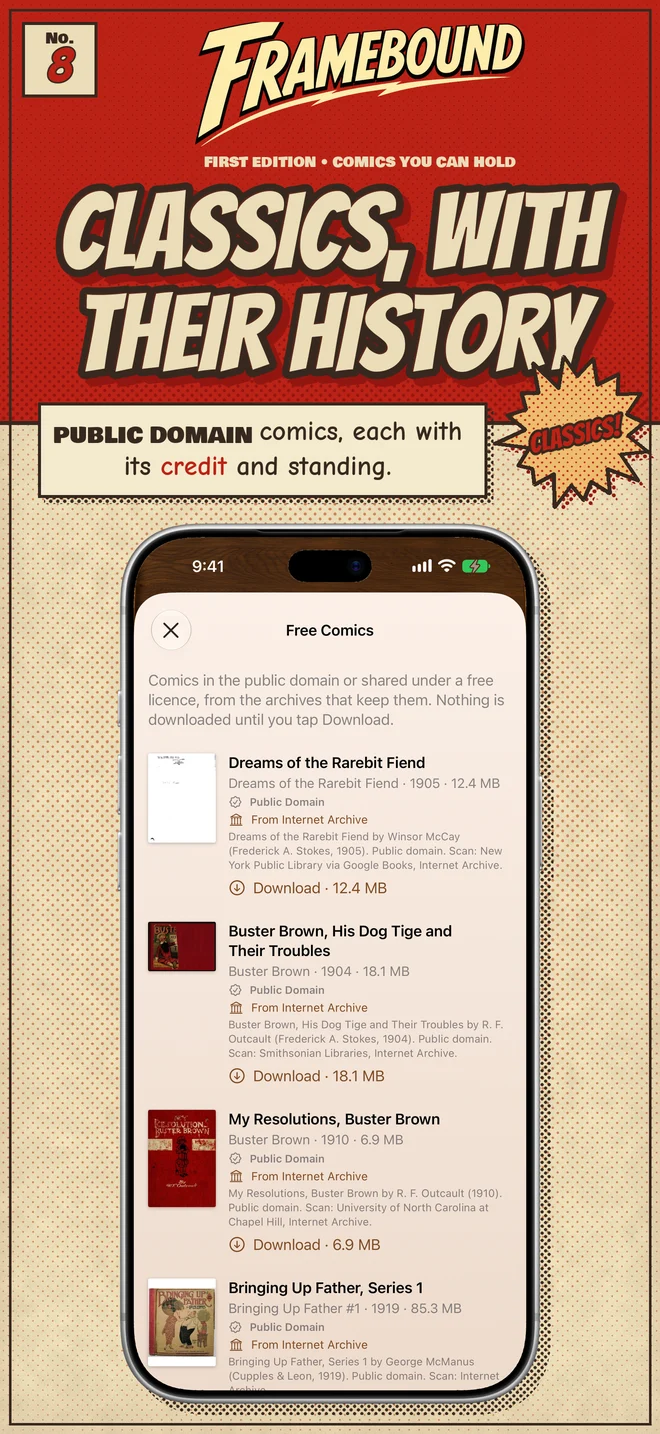
Framebound on iPad: Classics, With Their History. Public domain comics, each with its credit and standing.
Public domain comics, each with its credit and standing.

Paper in your pocket

On iPhone

The same books on the phone: pages that curl under your thumb, and panel by panel, gliding from one to the next, when the art is small.

Framebound on iPhone: Every Comic, A Real Book!. A cover that lifts under your finger, a spine, real thickness.
A cover that lifts under your finger, a spine, real thickness.
Framebound on iPhone: Pages That Curl Like Paper. The cover and every page bend under your finger.
The cover and every page bend under your finger.
Framebound on iPhone: Wear You Earn. Read it often and it ages: soft corners, frayed edges.
Read it often and it ages: soft corners, frayed edges.
Framebound on iPhone: Bound Like The Real Thing. Floppies, paperbacks, albums and omnibuses, each its own binding.
Floppies, paperbacks, albums and omnibuses, each its own binding.
Framebound on iPhone: Panels It Finds Itself. Framebound finds every panel and glides you through.
Framebound finds every panel and glides you through.
Framebound on iPhone: Fix Any Panel, For Good!. Wrong panel? Redraw it on the page; your fix sticks.
Wrong panel? Redraw it on the page; your fix sticks.
Framebound on iPhone: Series Stack Up. Issues pile up like a real stack and deal out at a tap.
Issues pile up like a real stack and deal out at a tap.
Framebound on iPhone: Classics, With Their History. Public domain comics, each with its credit and standing.
Public domain comics, each with its credit and standing.

Open the phone, open the book!

On a phone that folds

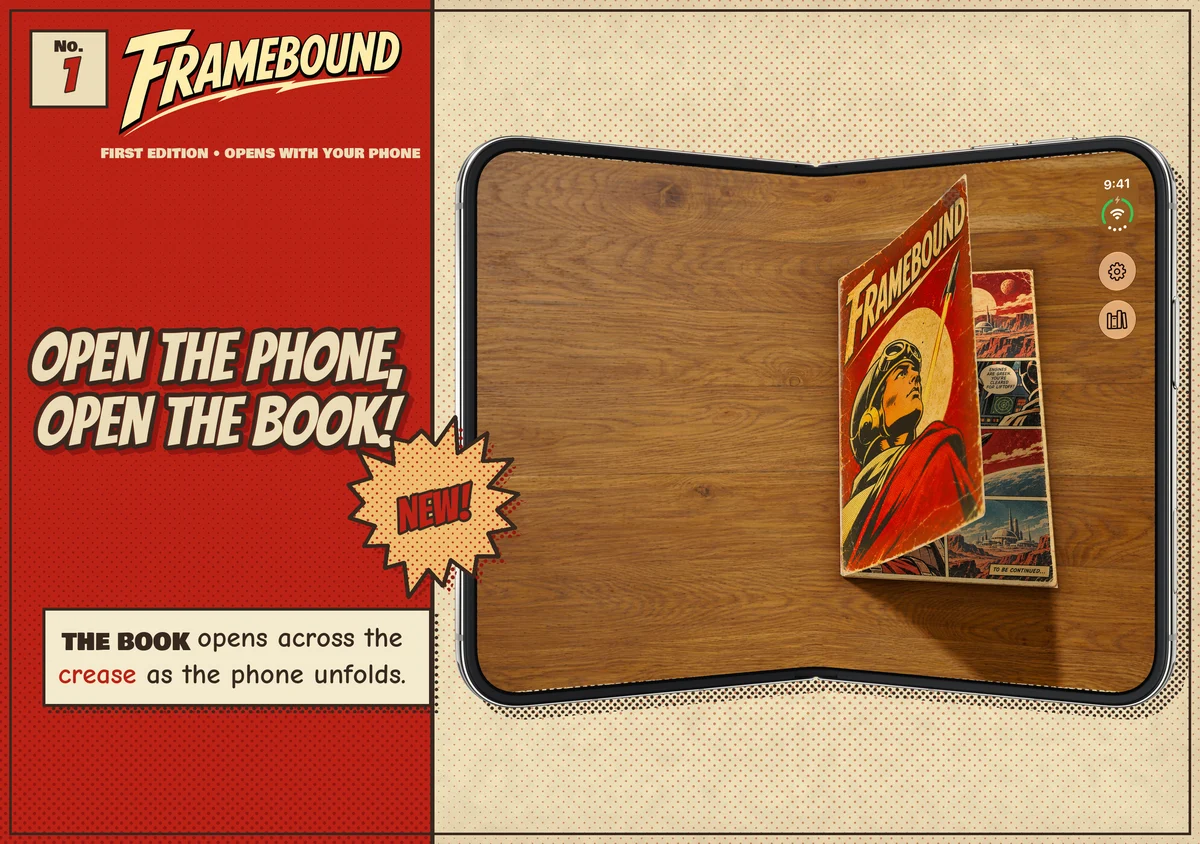
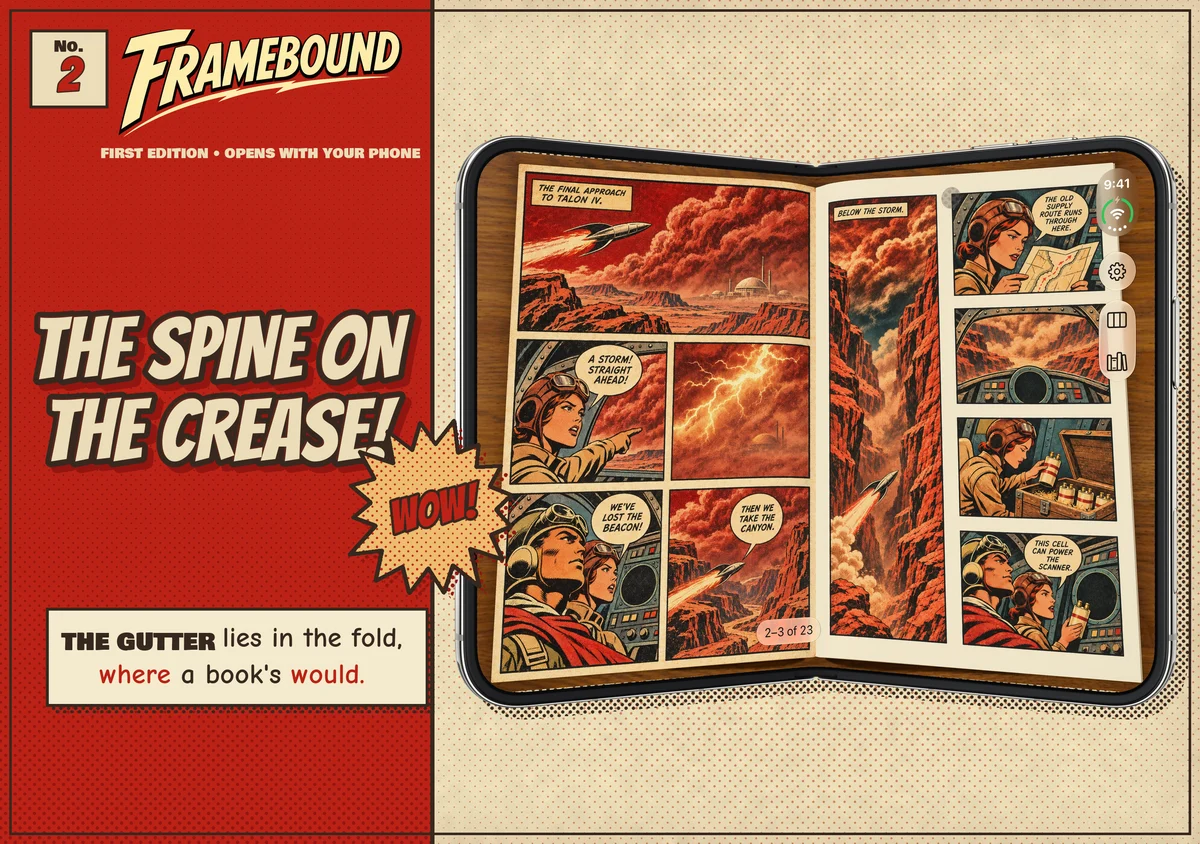
Unfold the phone and the comic opens with it: the book’s spine lies in the crease, where a real book’s gutter would be, and stays there as you turn the pages. Folded, the outer screen reads a page at a time.

Framebound on a folding phone, held open in a V: the shut book on the right half, its cover swung open across the crease
Open the phone, open the book.
Framebound on a folding phone: the open spread, its gutter in the fold
The spine lies on the crease.
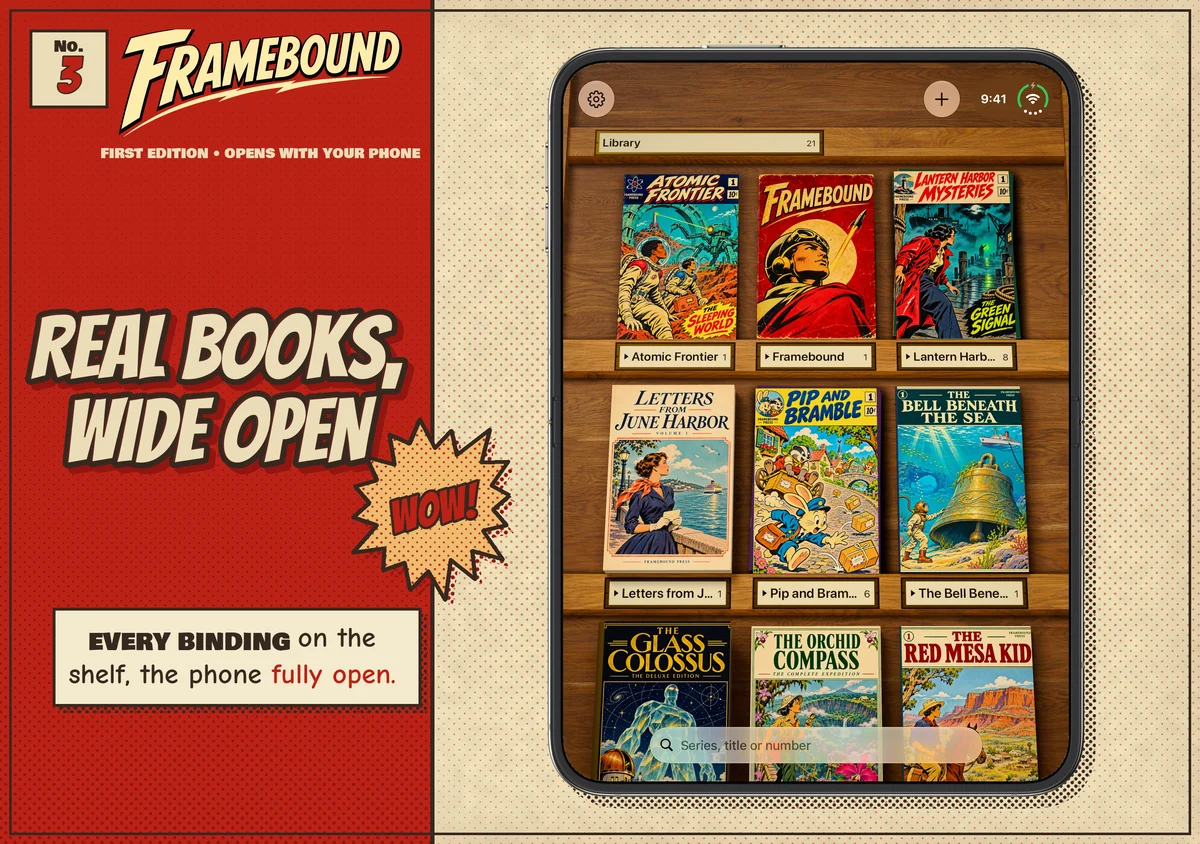
Framebound's shelf of real books on the phone fully open
Real books, wide open.

Real books on a real desk

Meanwhile, on the desk…

Pages that curl like paper

Tap a comic and it slides off the shelf and lands on a wooden desk, under a window. The cover hinges open under your finger and follows it; let go halfway and it decides, like paper does. Pages bend as you turn them and settle onto the stack, and the light falls the way it would.

Bound the way they were printed

Every comic, a real book

A stapled floppy, a square-bound paperback, a round-backed book or a hardcover album, with a spine, a page block and real thickness: Framebound finds each comic’s binding from the comic itself, and you can change it.

Well read

Wear you earn

Read a comic often and it ages, like the ones in your longbox: the corners soften, the cover fades, the page edges go from crisp white to well-thumbed. Set a comic’s wear yourself if you like.
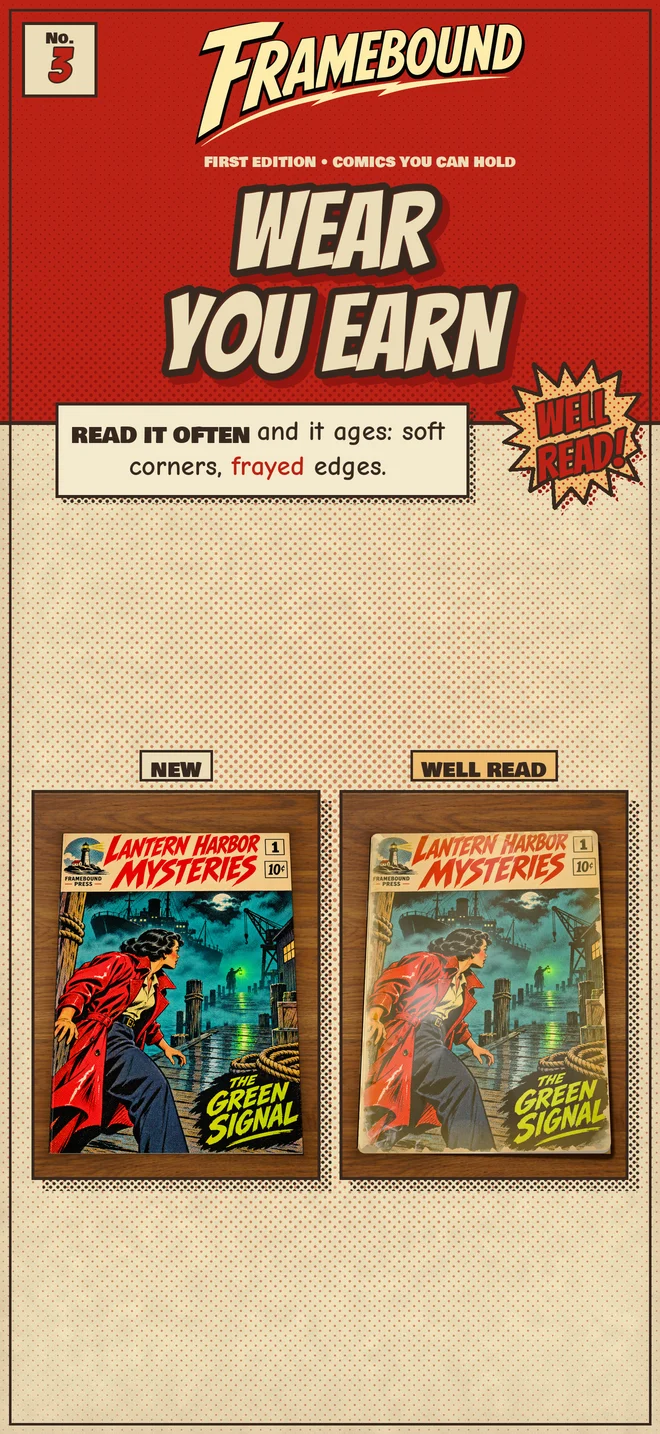
Lantern Harbor Mysteries 1 new and well read, side by side: the colours faded, the corners soft

Read it your way

Panel by panel!

Whole pages as the artist laid them out, a pinch to look closer, or panel by panel: Framebound finds the panels and glides you through them in reading order. Your place is kept, down to the panel.

You’re the editor

Fix any panel, for good

A panel read wrong? Fix it right there on the page: resize it, cut it, draw a new one, put them in order. Your fix wins, for good.

The collection

Shelves & piles

Every cover faces out. Series stack in piles under brass labels and deal out at a tap; a pile says how many you have read, and a finished comic offers the next issue right on the desk.

Tilt the table

Tilt it, the light moves

Tilt the device and the whole desk tilts with it, while the light stays in the window, so the shine slides across the cover. Off with Reduce Motion, or in Settings.

Also inside

And more!

  • Home Screen and Lock Screen widgets.
  • Right to left for manga.
  • Pick any page as the cover.
  • Shortcuts for your last comic, the next issue and the gallery.
Private by design!

No account, no ads, no analytics, no tracking. Panel finding and everything else happens on your device, and your comics stay in your own files.

Framebound goes online only in the gallery of classics: for its list of comics, from danskrumskrot.com, when you open it; for the covers of the comics you see there; and for the comics you choose to download, from the archives that keep them.

The App Store privacy label: Data Not Collected. Dansk Rumskrot privacy policy.

☐ YES! I want my comics to feel like comics again.

☐ Send me no ads, no account and no tracking.

Made in Denmark by Dansk Rumskrot.

Letters to the editor

Which files does it open?

CBZ, CBR, CB7, CBT and PDF. Add them with the + on the shelf, from Files or iCloud Drive, or share them to Framebound from another app.

A comic shows as missing

Framebound reads comics where they are. If the file was moved or deleted, add it again from its new place and it links back up, with your place and your panel fixes kept.

The panels are wrong

Tap Fix Panels while the comic is on the desk. Resize, cut, add or reorder, and your fix is kept for good. A comic with no panels found still reads page by page.

My manga reads backwards

Framebound reads right to left when the comic says so, or when most of its series does. Set it yourself in Edit Info; your choice always wins.

Do I need an account?

No. Framebound has no accounts, no ads and no tracking.

Write to us

Questions, bugs, a comic that won’t open? Write to framebound@kimhansen.dk. We read every letter.

Join the beta

Want a say in where Framebound goes next? Join the public beta on TestFlight and try new builds before they reach the App Store.

The beta runs in Apple’s TestFlight app. Install TestFlight, then tap Join — TestFlight installs the beta build of Framebound and offers each new build as it’s ready.

Spot a bug, a rough edge or a missing feature? Take a screenshot in the beta build and TestFlight offers to send it as feedback, or use Send Beta Feedback in the TestFlight app. Every report is read and helps decide what gets built and fixed next — there’s no support desk behind it, so reports aren’t answered one by one.

To leave the beta, open Framebound in the TestFlight app and tap Stop Testing.

All Dansk Rumskrot betas →