
Rumskrot Issues
Built for one moment: you just noticed something
Rumskrot Issues opens with the cursor in the title field and the repository you used last already chosen. Type, tap Create, done. On the Mac it lives in the menu bar: click, type, ⌘↩.
View release notes →
- Attach the real thing. Screenshots, files and pasted logs upload as actual bytes while you type; drafts survive everything.
- It reads the screenshot. Text in an attached error is recognised on-device and offered, quoted, for the body; Refine tidies title and body, also on-device.
- Work the queue. Triage gathers open issues from the repos you pick into one list of cards; label, reply or close in place.
Use it when… a bug flashes past on a phone screen and it has to be filed before the next meeting.
iPhone
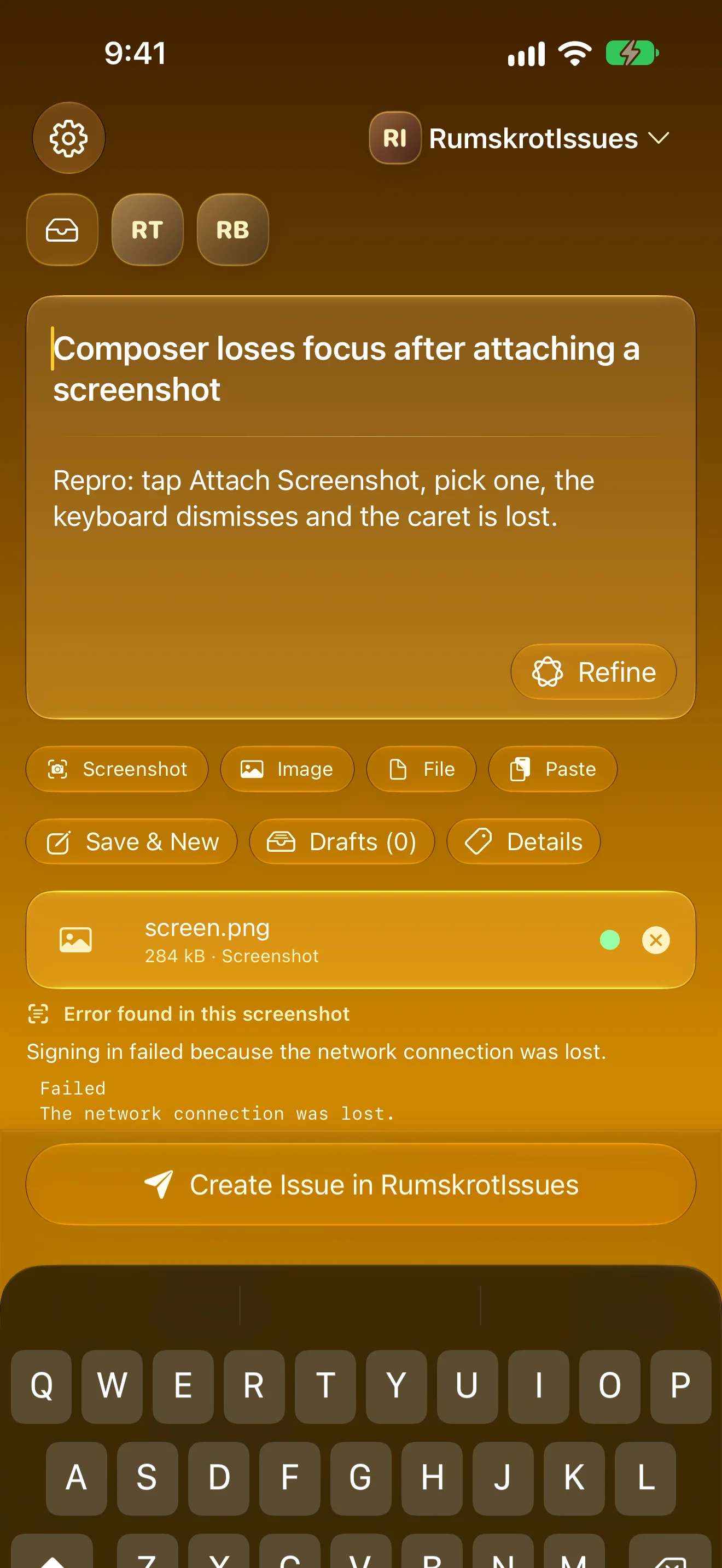
Straight To The Composer
Last repository selected, cursor in the title. Type, tap Create, done.
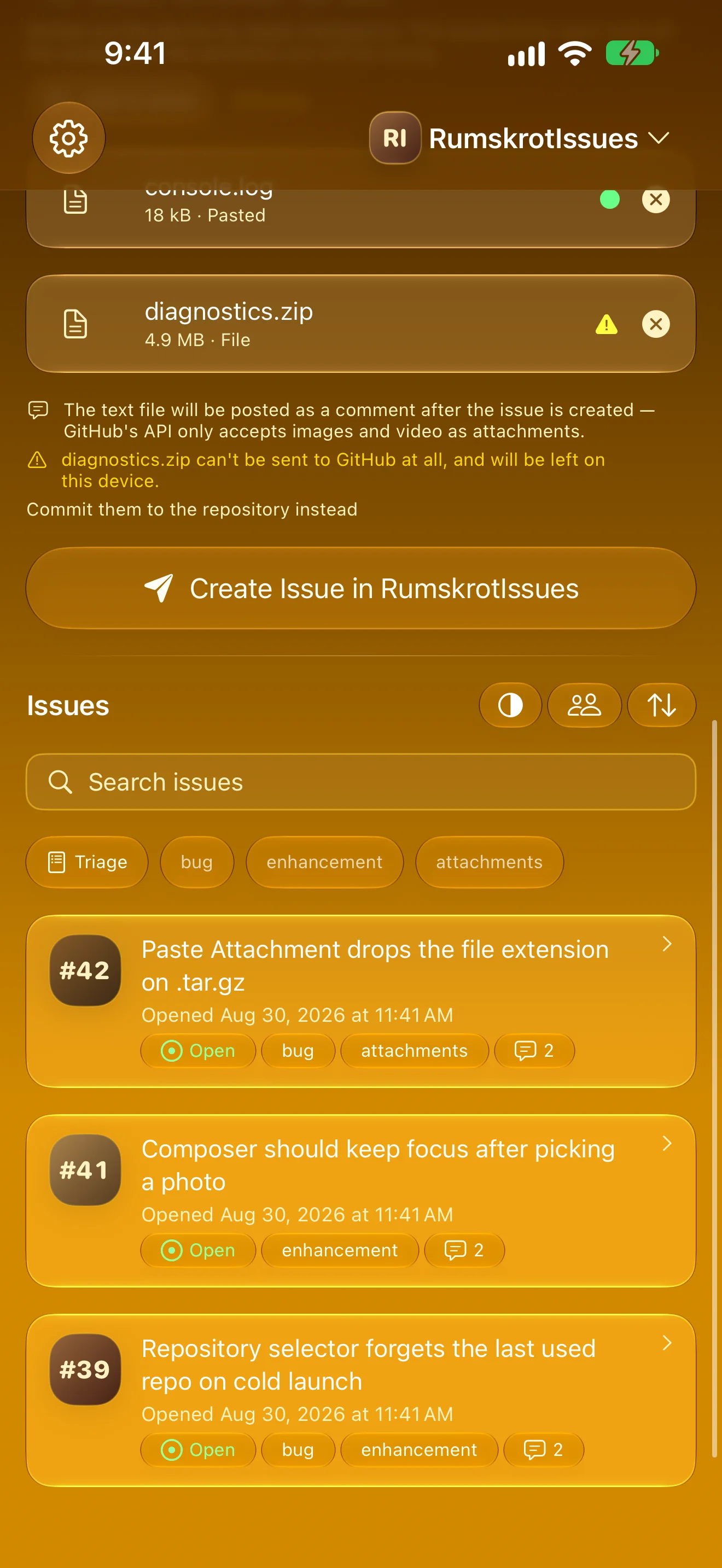
Attach The Real Thing
Screenshots, files and pasted logs as real bytes — each with its own state, none silently dropped
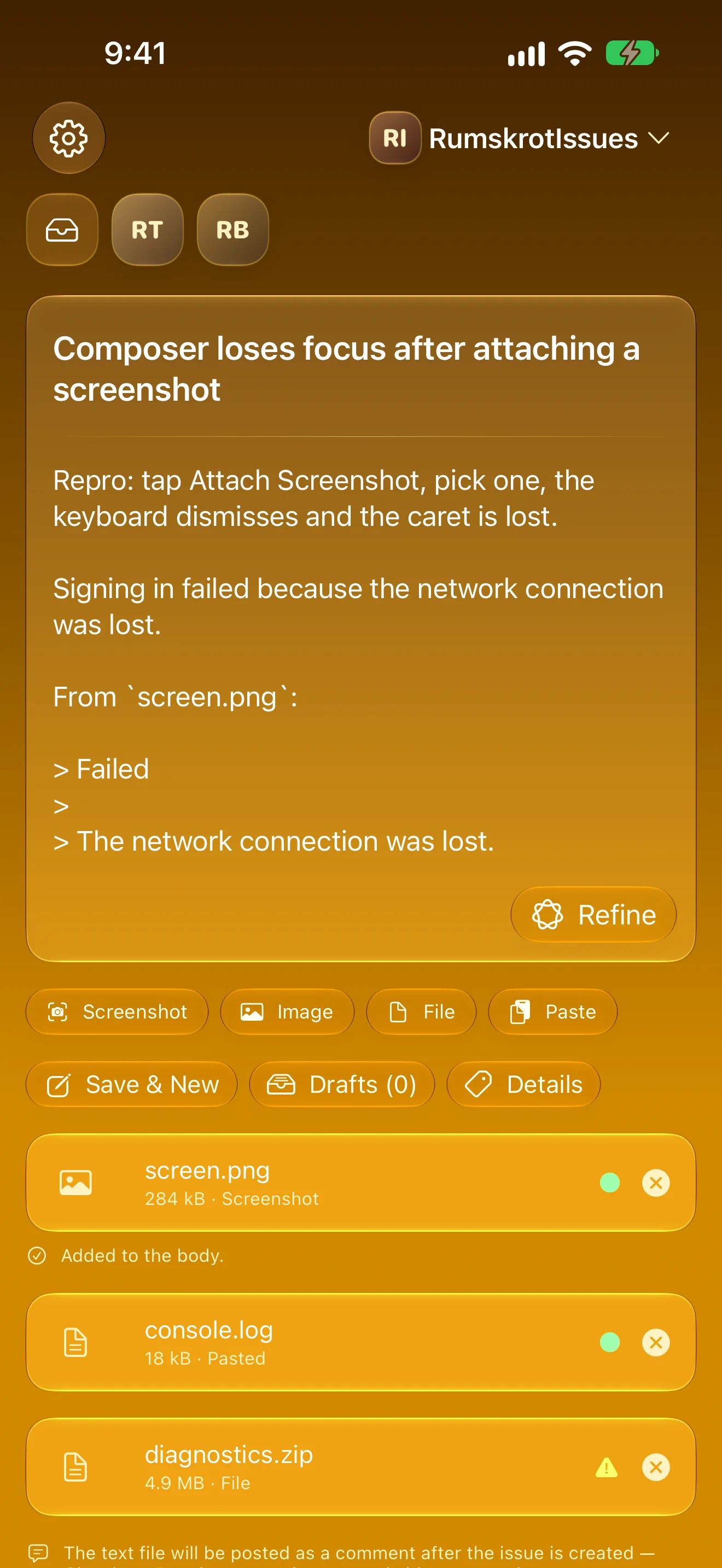
It Reads The Screenshot
The error in a screenshot, read on-device — one tap adds it, quoted, to the body
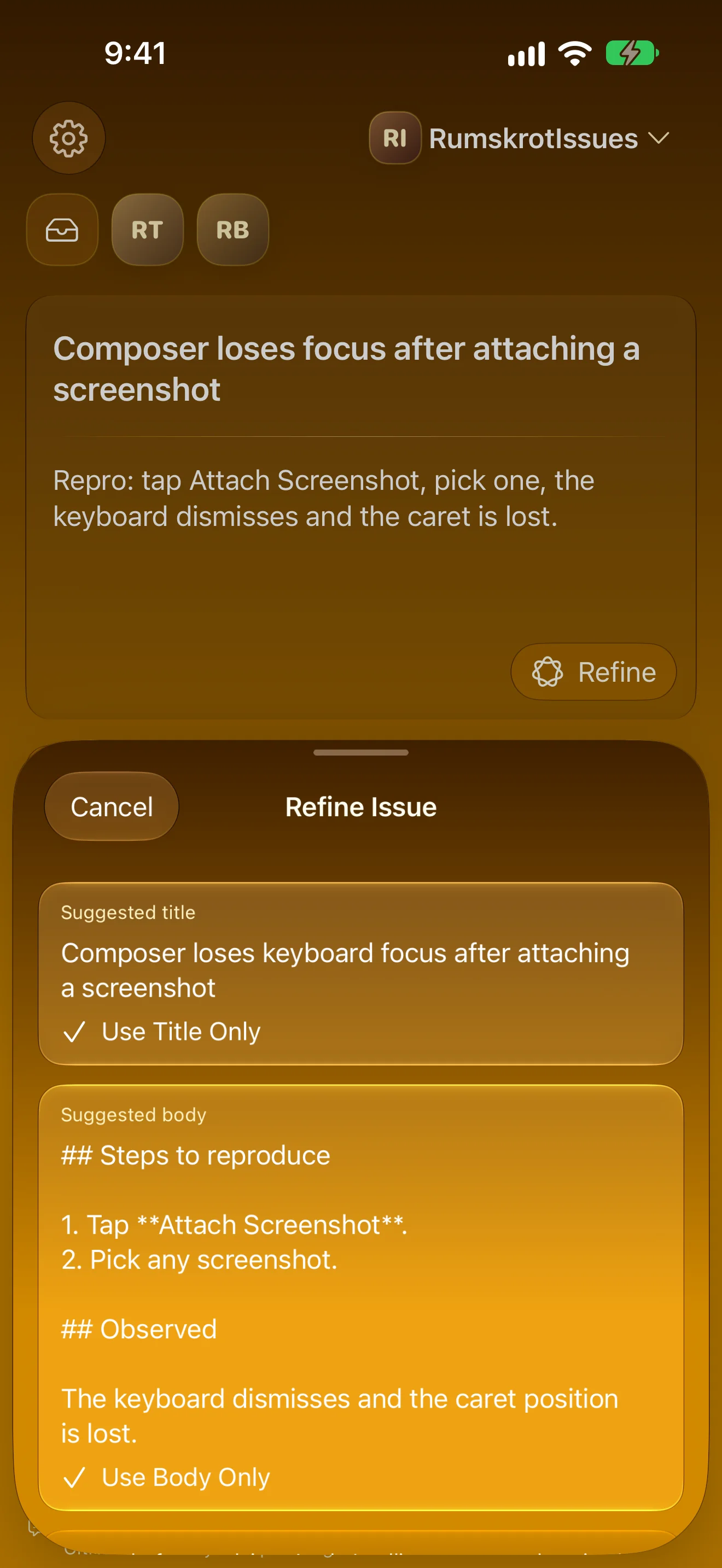
Tidy It Up, On-Device
A hurried note becomes a clear title and body — nothing changes until you apply it
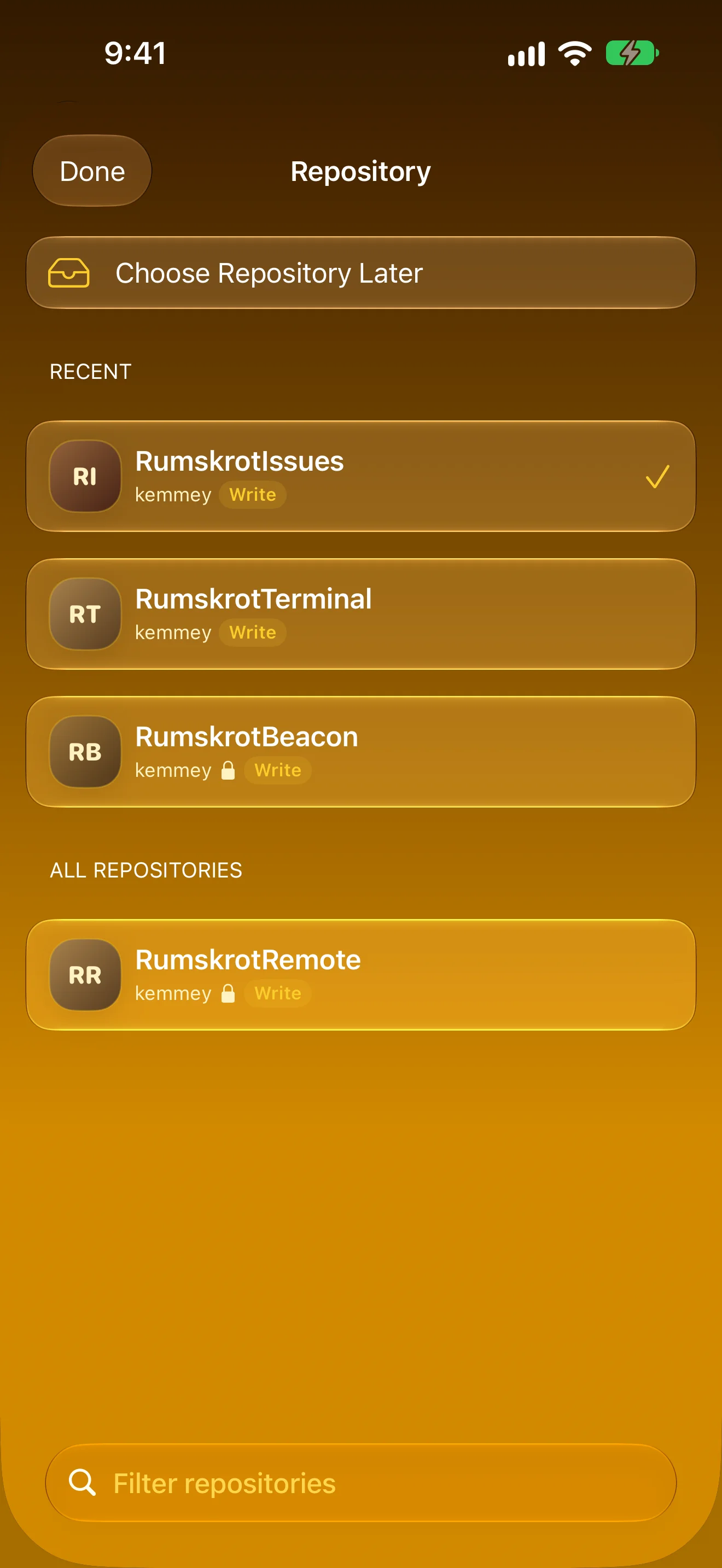
The Repos You’re Actually In
Favourites first, then what you used this week. Switching never touches your draft.
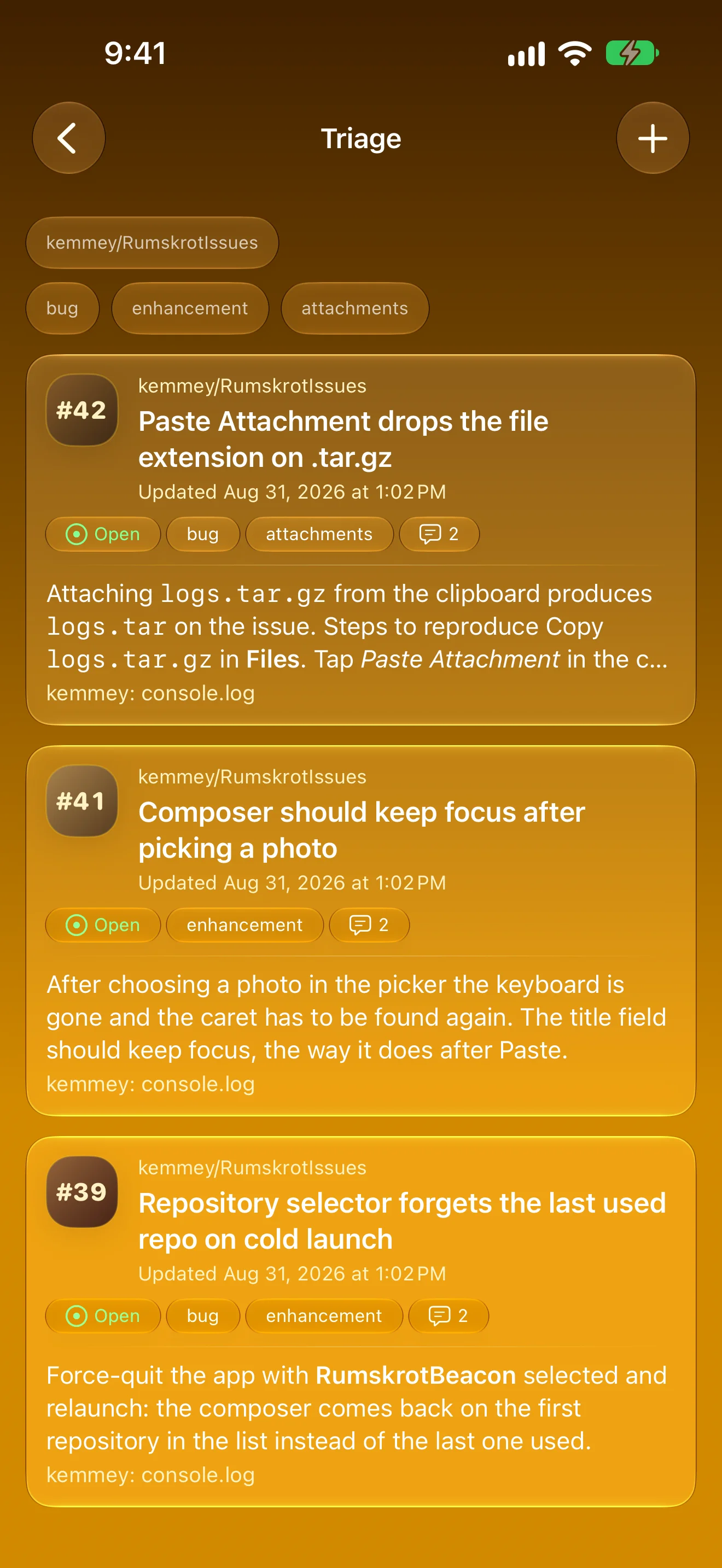
Work Through The Queue
Open issues from the repos you choose, as cards — excerpt, labels and latest comment at a glance
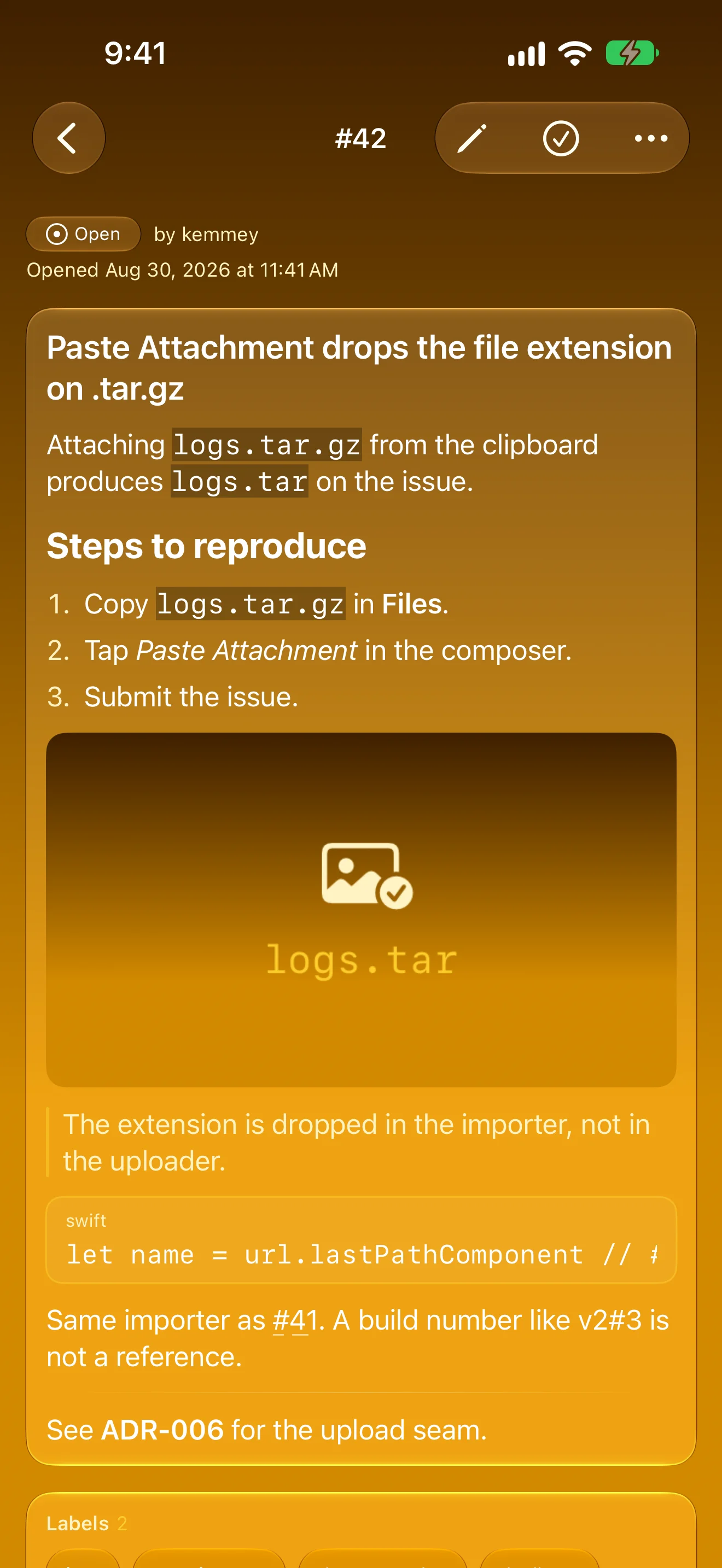
Every Issue, Fully Rendered
Markdown, images, labels and comments — edit, reply or close in place
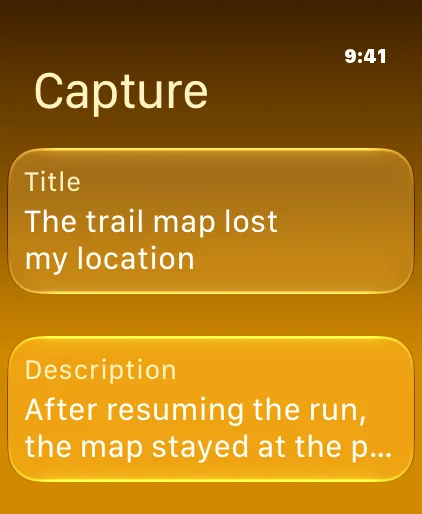
Capture From Your Wrist
The Apple Watch app files a quick issue, or queues it until you’re back online
iPad
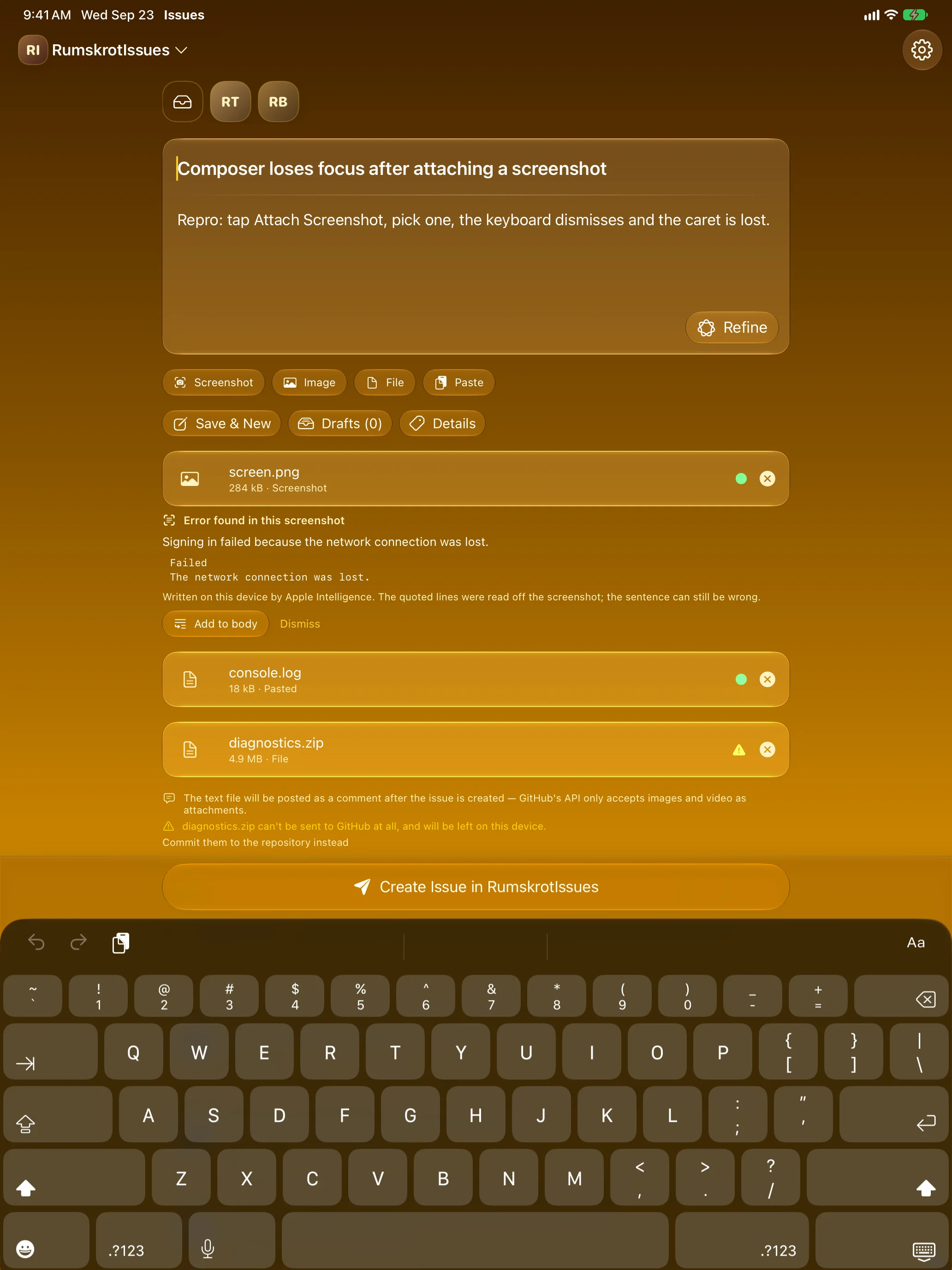
Straight To The Composer
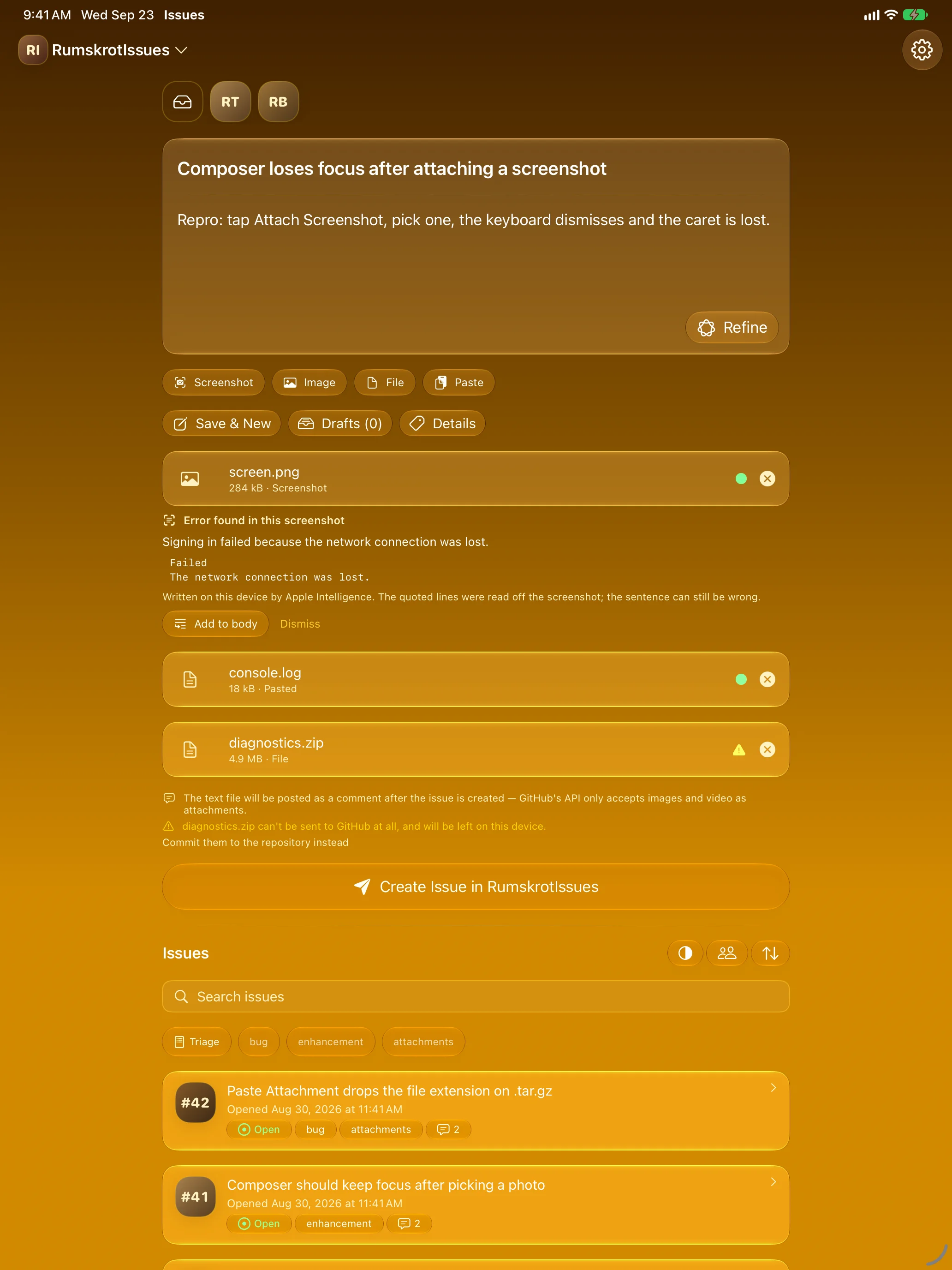
Attach The Real Thing
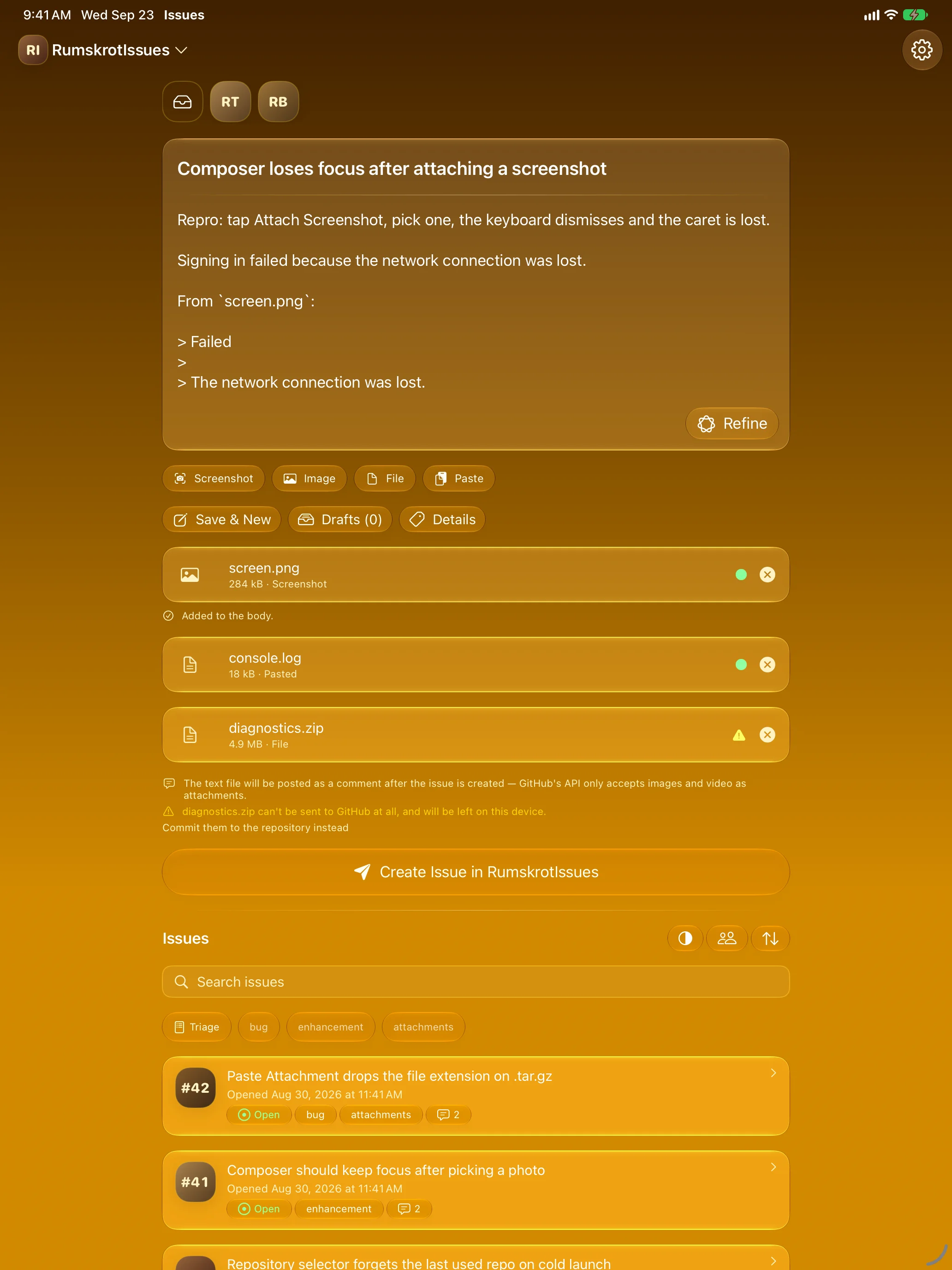
It Reads The Screenshot
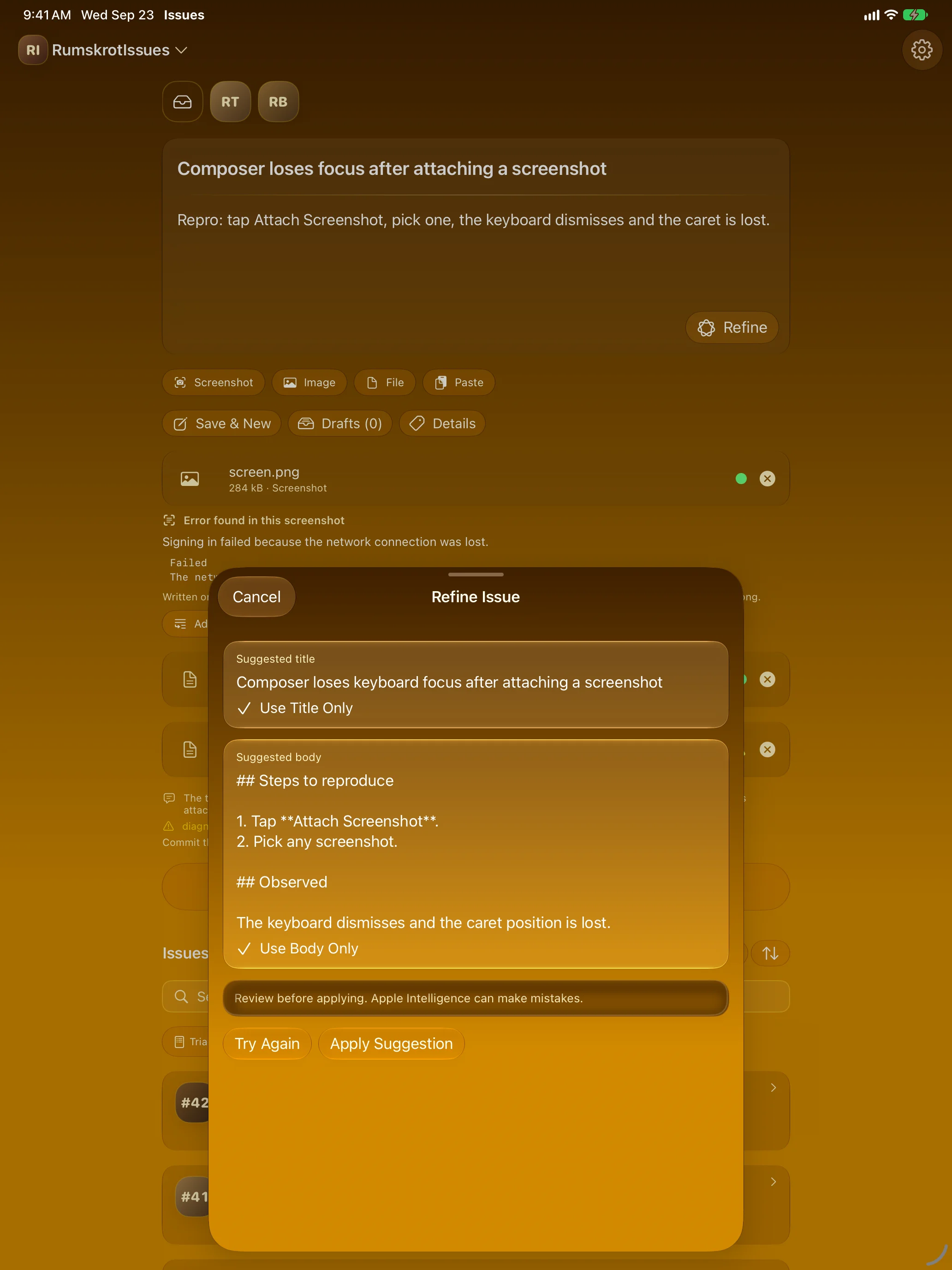
Tidy It Up, On-Device
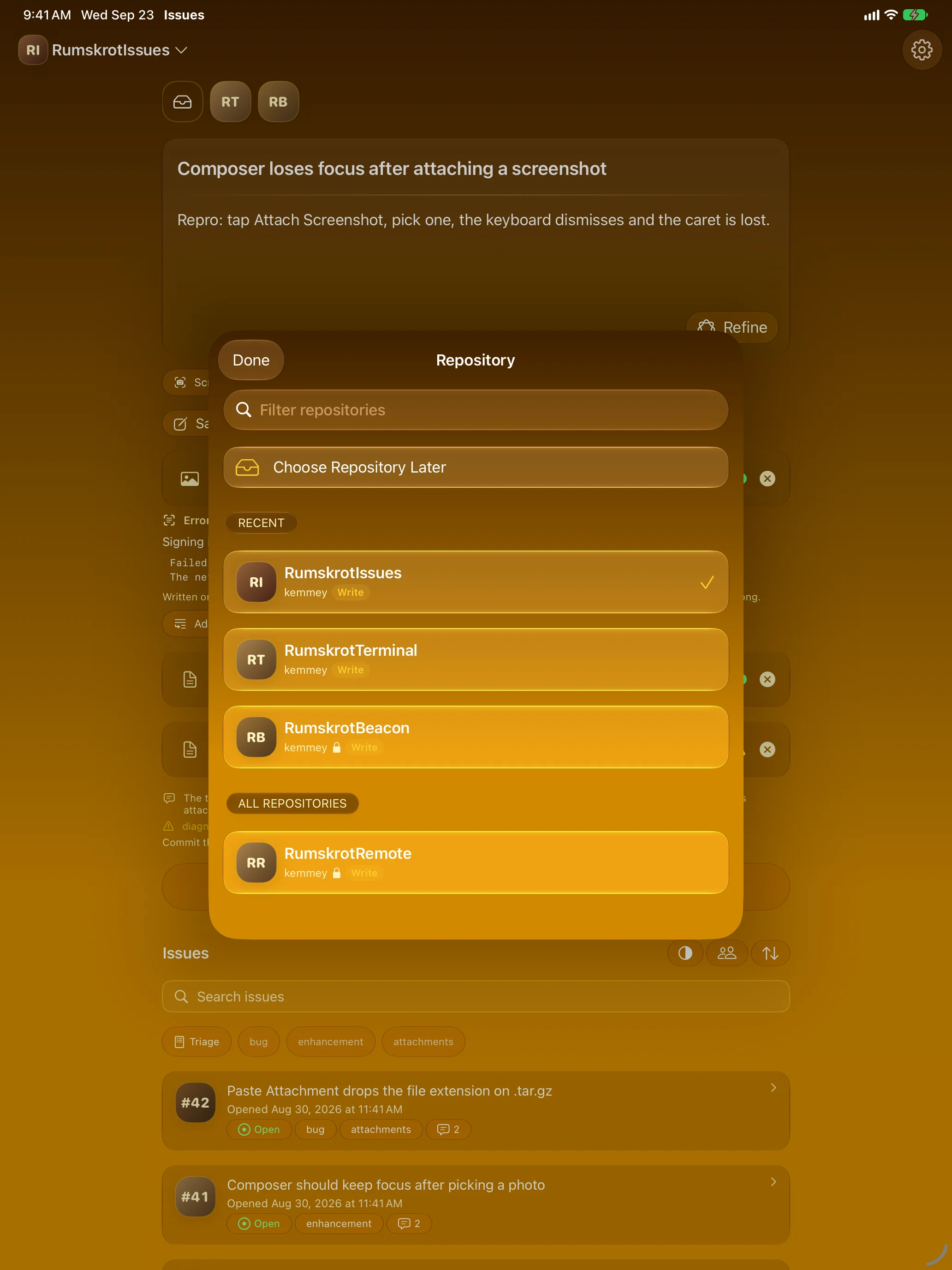
The Repos You’re Actually In
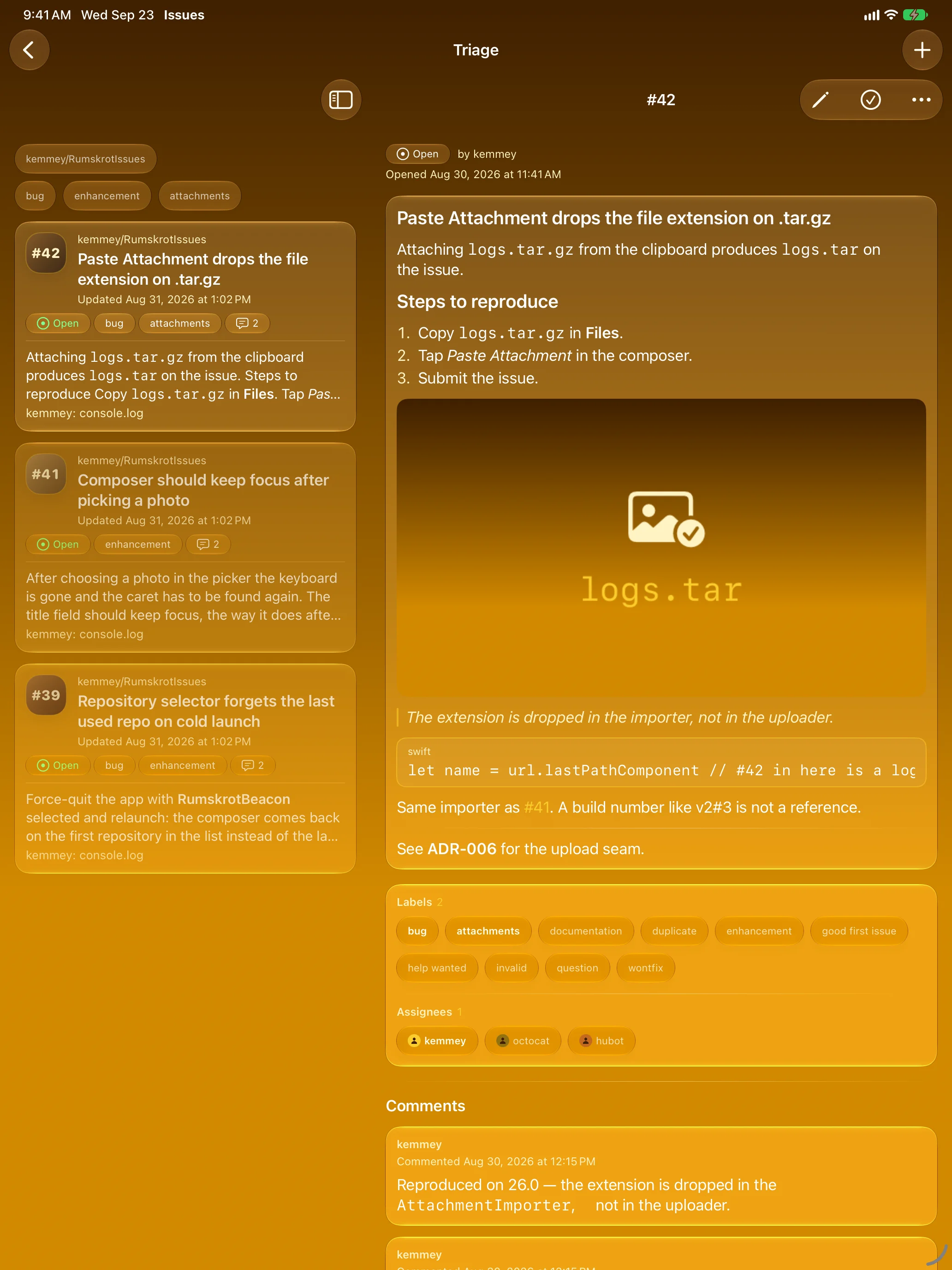
Work Through The Queue
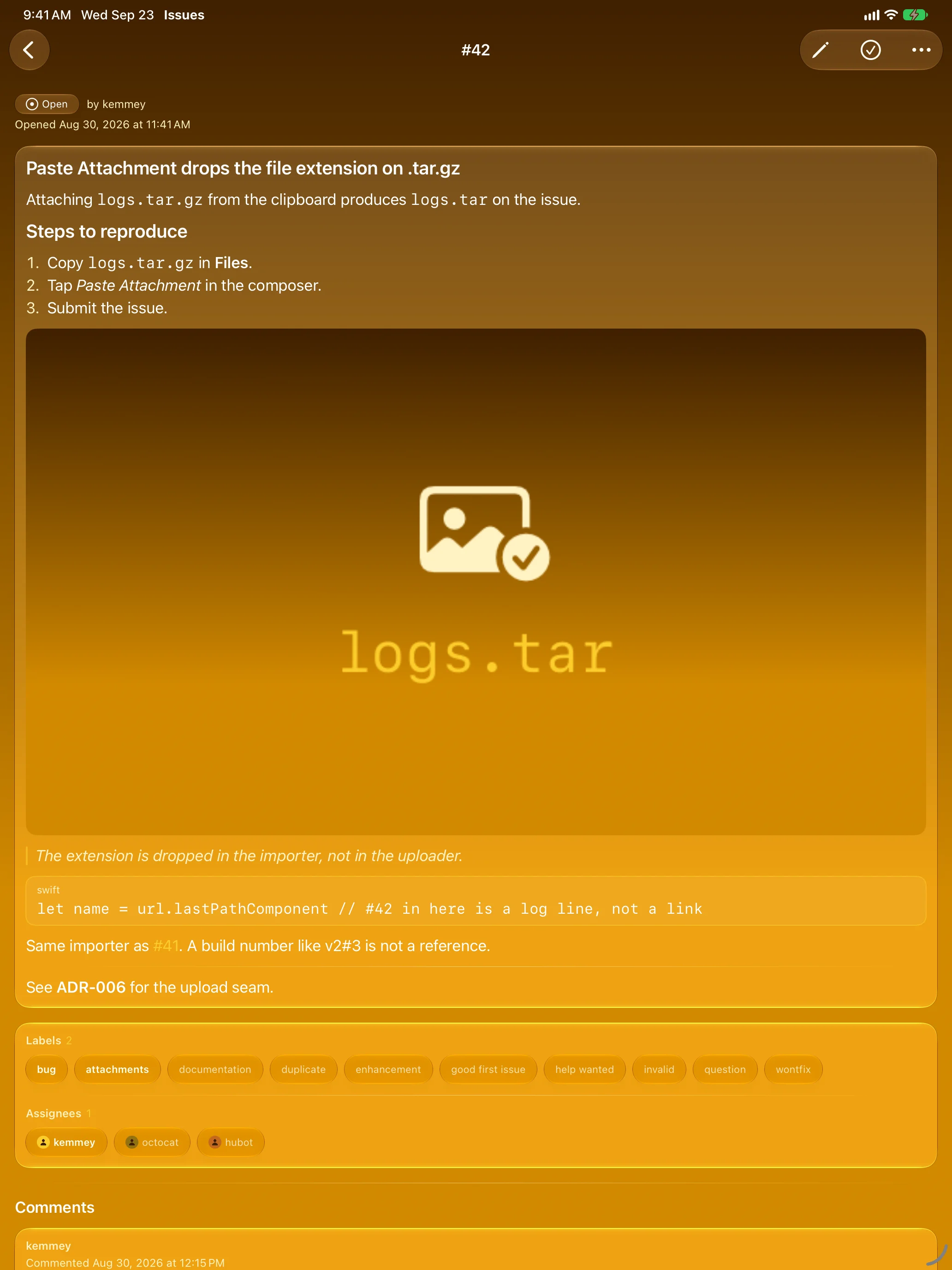
Every Issue, Fully Rendered
Mac
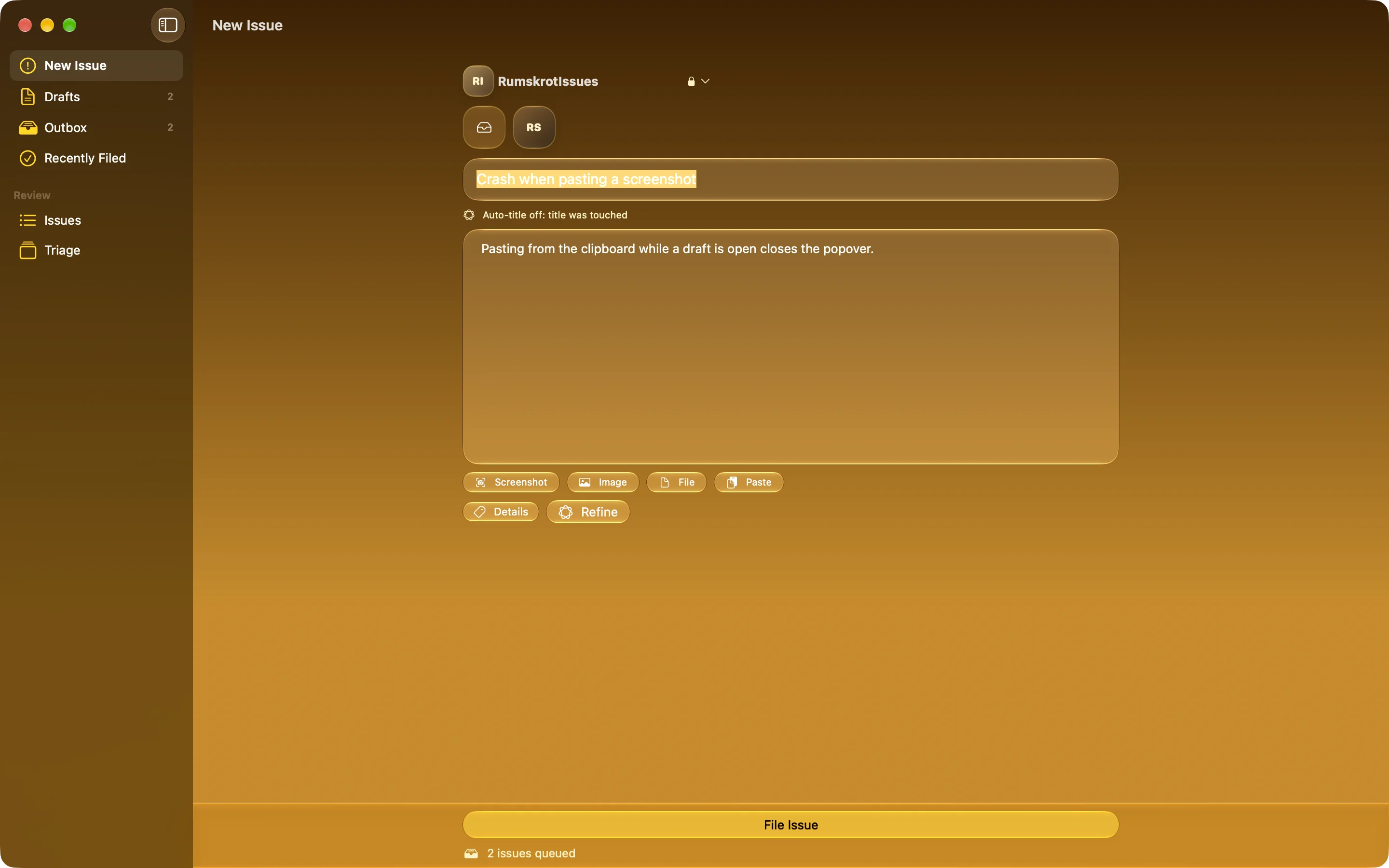
One Click From The Menu Bar
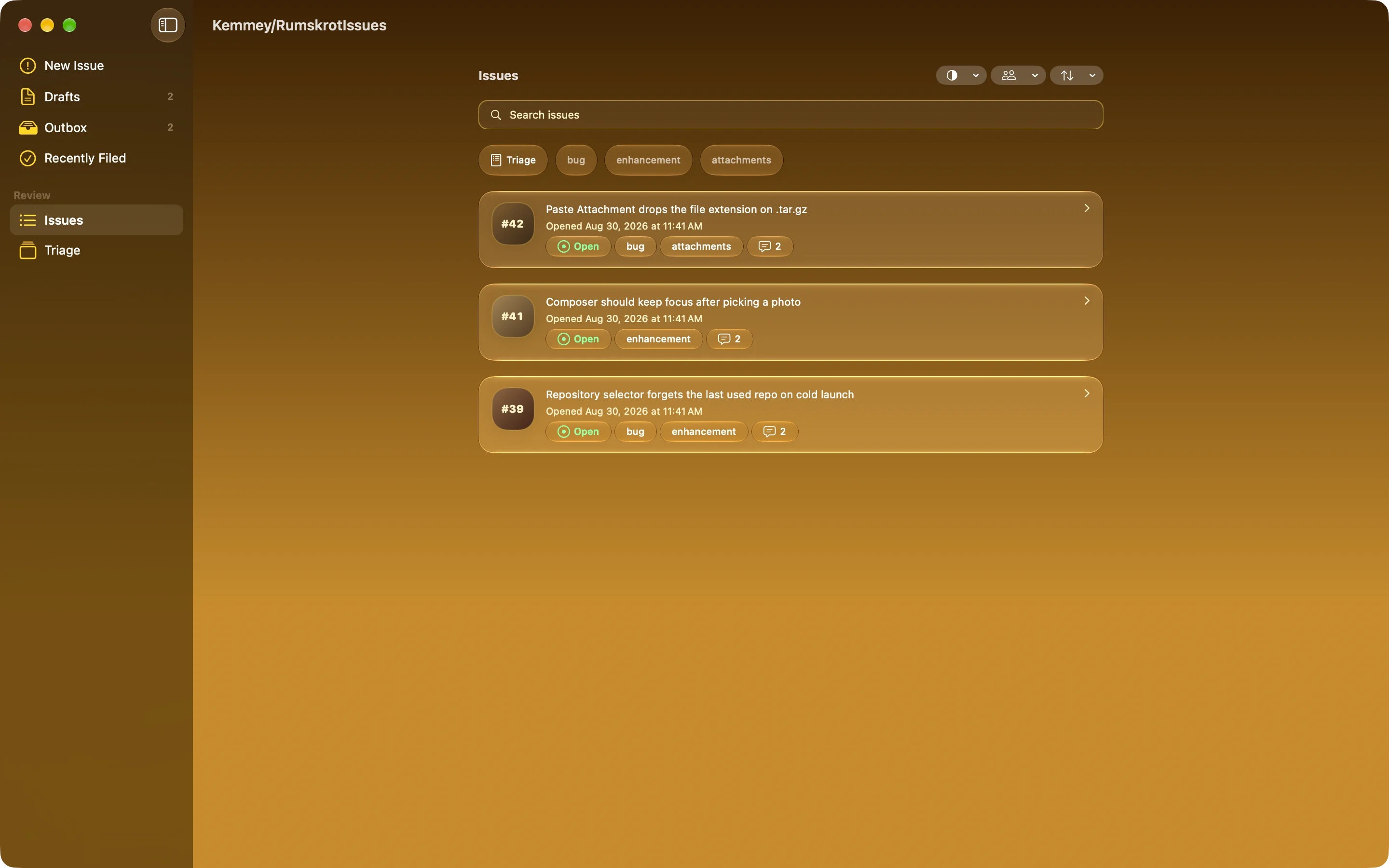
Every Issue, At Hand
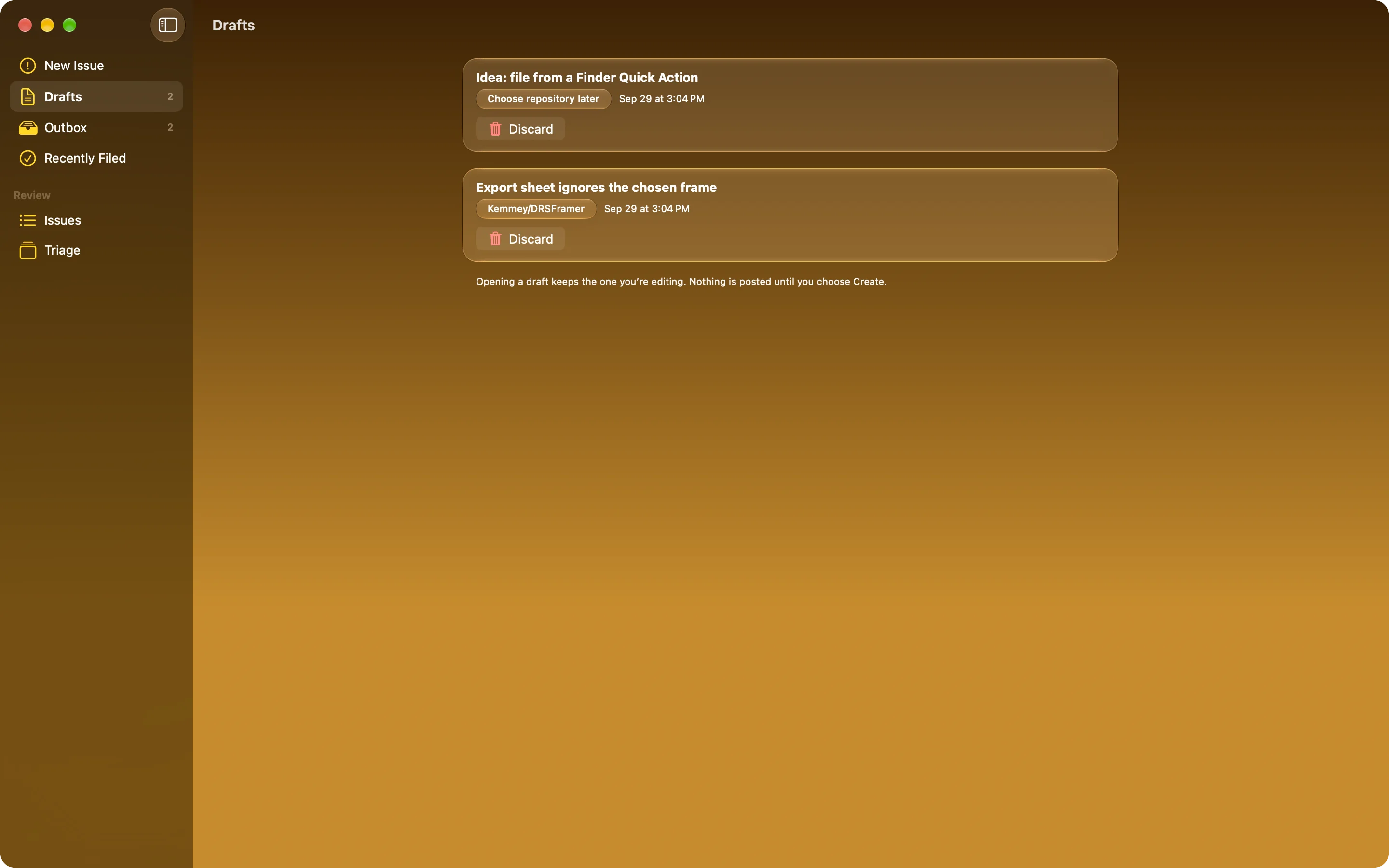
Nothing Gets Lost
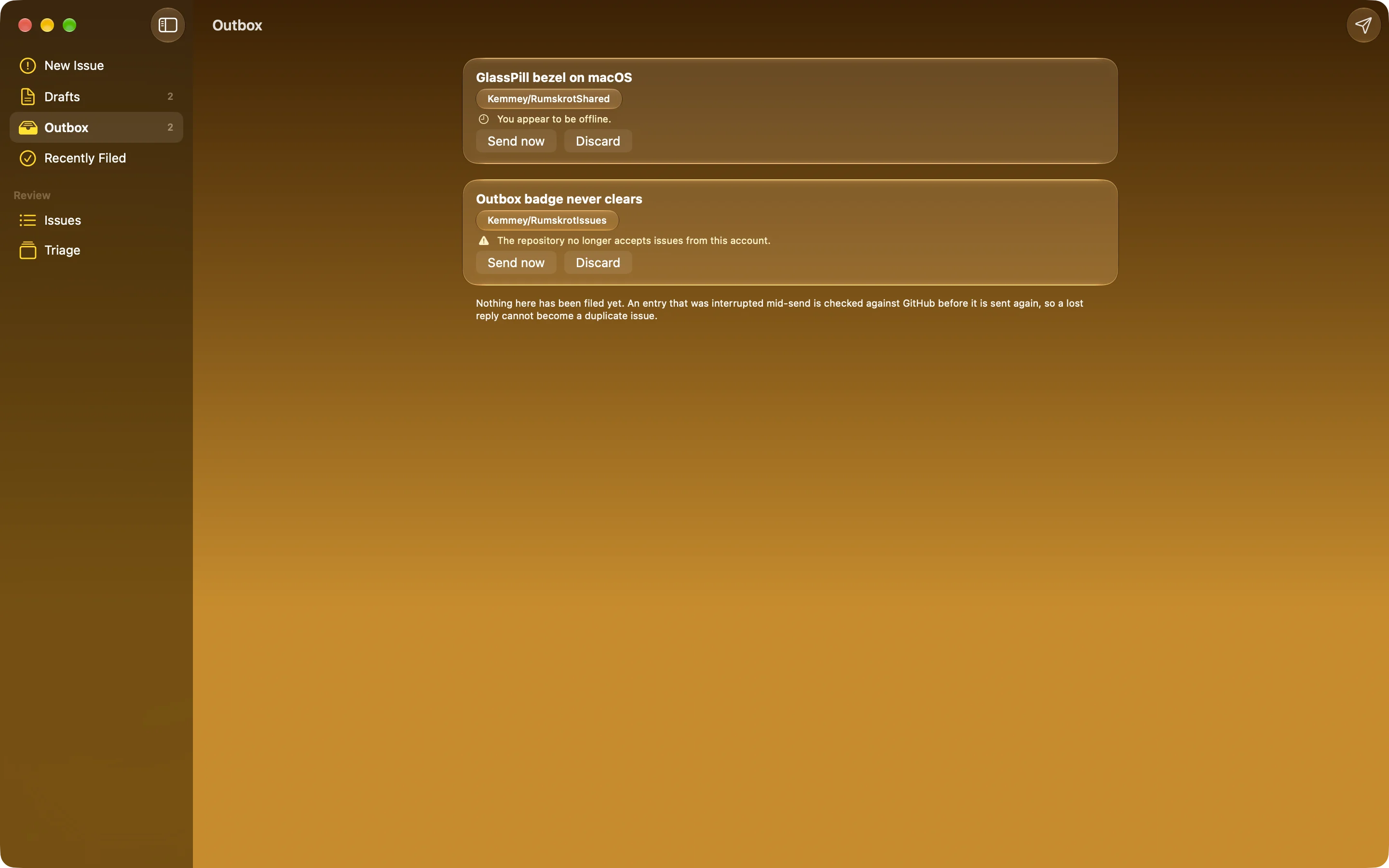
Offline? It Waits
Apple Watch
Capture From Your Wrist
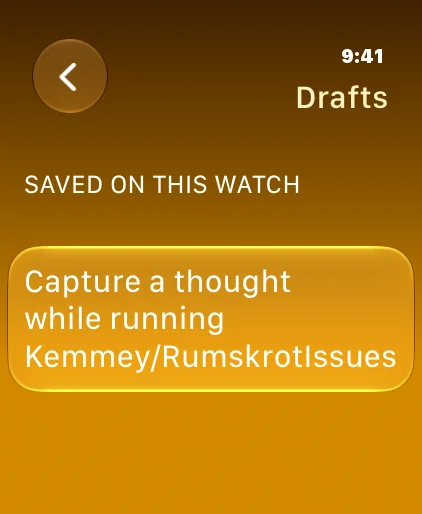
Every Thought Kept
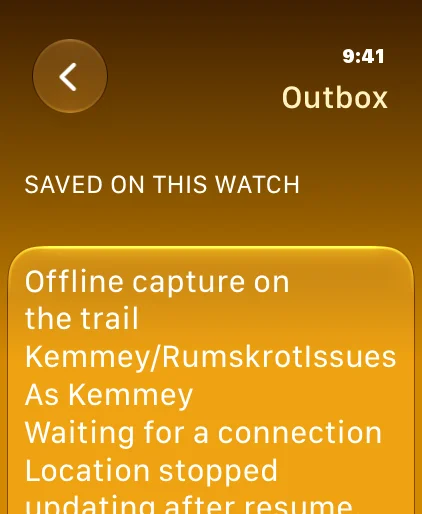
Offline? It Waits
Features
Opens Where You Left Off
No repository list, no dashboard, no New Issue button. The composer is the first screen, the repository you used last is still selected, and the cursor is already in the title.
The Draft Survives Everything
Written to disk as you type. Backgrounding the app, force-quitting it or switching repository cannot take it away. Save & New parks a draft and starts the next one.
Real Attachments
Screenshot, Image, File and Paste are separate, deliberate actions. Paste attaches the actual bytes of a log, a JSON export or a crash dump — not a filename. Images and video upload while you type.
Honest About Where Files Go
Text files are posted as a collapsed comment; archives GitHub won’t accept stay on the device, or can be committed to the repository if you choose. Nothing is dropped without telling you.
Reads The Screenshot
The error text in an attached screenshot is recognised on the device and offered for the body, quoted word for word. Nothing is added until you tap Add to body.
Refine, On-Device
Turn a hurried note into a clear title and a structured Markdown body with the on-device language model. You review it; the draft only changes when you apply it. No cloud model, no API key.
Your Working Set
Favourites first, then the repositories you have used in the last few days. Older activity stops counting. Several GitHub accounts can sit side by side.
Triage Mode
Open issues from the repositories you choose, gathered into one queue of cards. On iPad it becomes a split view you can drive from the keyboard.
Manage In Place
Filter, search and open any issue: rendered Markdown and images, labels, assignees and comments. Edit, reply, close or reopen without leaving the app.
From Anywhere
Share from any app and the item arrives as an attachment. A Control Center control and Shortcuts actions open straight into a new capture, a native Mac app puts the whole composer and Triage Mode on your desktop, and a companion Apple Watch app captures from your wrist.
Works Offline
No connection? The issue is queued with its attachments and sent when the network comes back — an uncertain attempt is checked against GitHub before any retry, so it isn’t filed twice.
Sign In Safely
GitHub’s device flow — no password typed into a third-party app. A personal access token works too. Credentials stay in the Keychain.
About
Rumskrot Issues is built for one moment: the gap between noticing something and it being written down somewhere it will get dealt with. Every design decision is measured against how short that gap can be — which is why the app opens on the composer, why the draft is saved as you type, and why attachments are the real files rather than links to them.
Issues is part of the Rumskrot toolbelt: Rumskrot Beacon for network probes, Rumskrot Pulse for Bluetooth LE, Rumskrot Nearfield for NFC, Rumskrot Terminal for SSH, Rumskrot Remote for remote desktop, and Rumskrot Archives for archives.
No ads. No tracking.
Join the beta
Want a say in where Rumskrot Issues goes next? Join the public beta on TestFlight and try new builds before they reach the App Store.
The beta runs in Apple’s TestFlight app. Install TestFlight, then tap Join — TestFlight installs the beta build of Rumskrot Issues and offers each new build as it’s ready.
Purchases in TestFlight builds are test purchases: you’re never charged, and they don’t carry over to your account or to the App Store version. Purchases in the App Store version are real — please make sure which version you’re using; we can’t take responsibility for purchases made by mistake.
Spot a bug, a rough edge or a missing feature? Take a screenshot in the beta build and TestFlight offers to send it as feedback, or use Send Beta Feedback in the TestFlight app. Every report is read and helps decide what gets built and fixed next — there’s no support desk behind it, so reports aren’t answered one by one.
To leave the beta, open Rumskrot Issues in the TestFlight app and tap Stop Testing.