
Rumskrot Lyrics
Nothing on the stand but the song
A music stand for iPhone and iPad that understands chord sheets. Each chord is anchored to its syllable, so the song reflows at any text size and in any key. Host a session and every phone and iPad in the room follows the same line — not the same page — on its own screen.
Public Beta Open to everyone on TestFlight — the latest build, before it reaches the App Store.
- Bring the sheet you have. Paste it, open a Word file, or scan a printed page; the importer flags only the lines it isn’t sure about.
- Built for the instrument in your hands. Transpose, set the capo separately, simplify chords to triads, guitar and ukulele diagrams, a steady tuner.
- Hand a song to a bandmate and it lands in their library — over the local network, no account, no server.
Use it when… rehearsal starts and half the band has the song in a different key.
iPhone
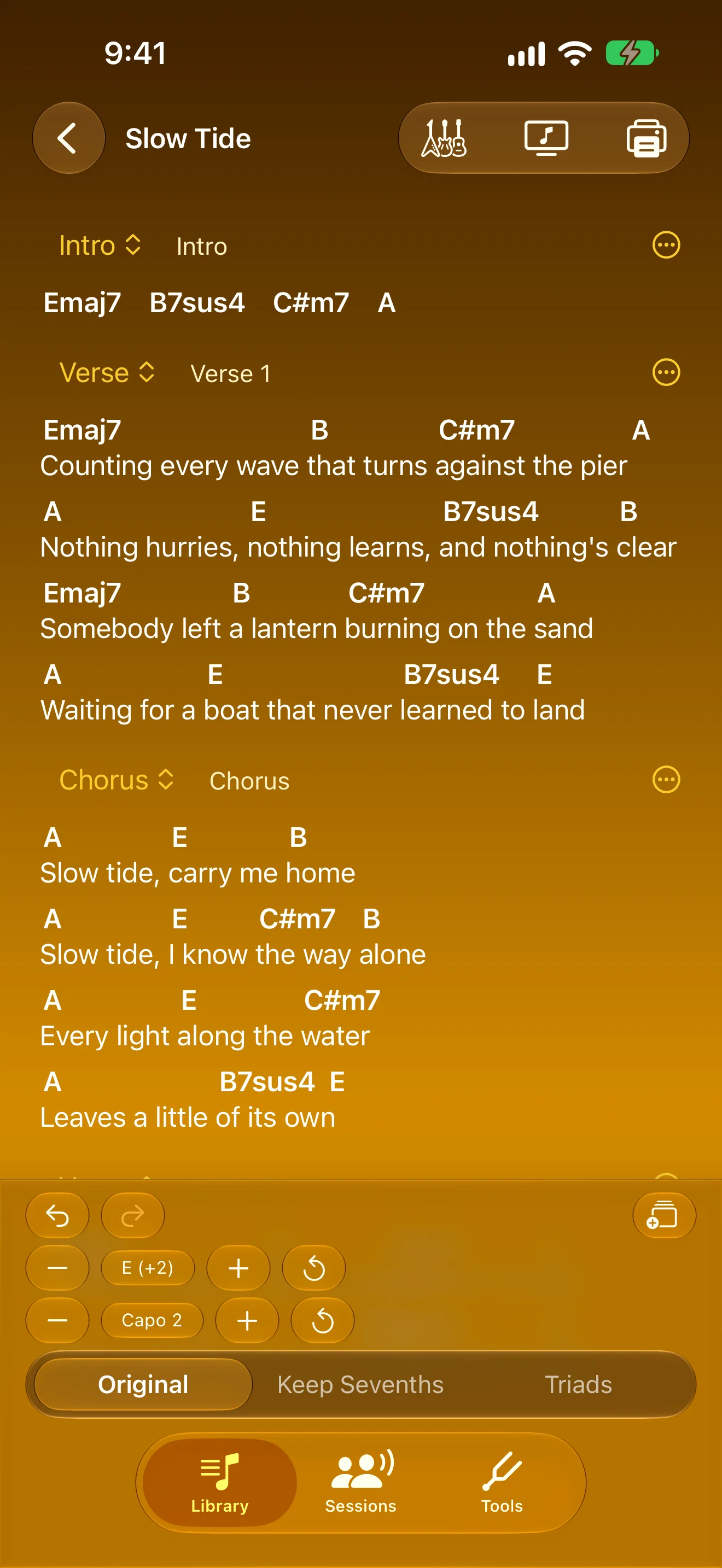
Transpose and Capo, Kept Apart
Change key and capo separately, always know what to play
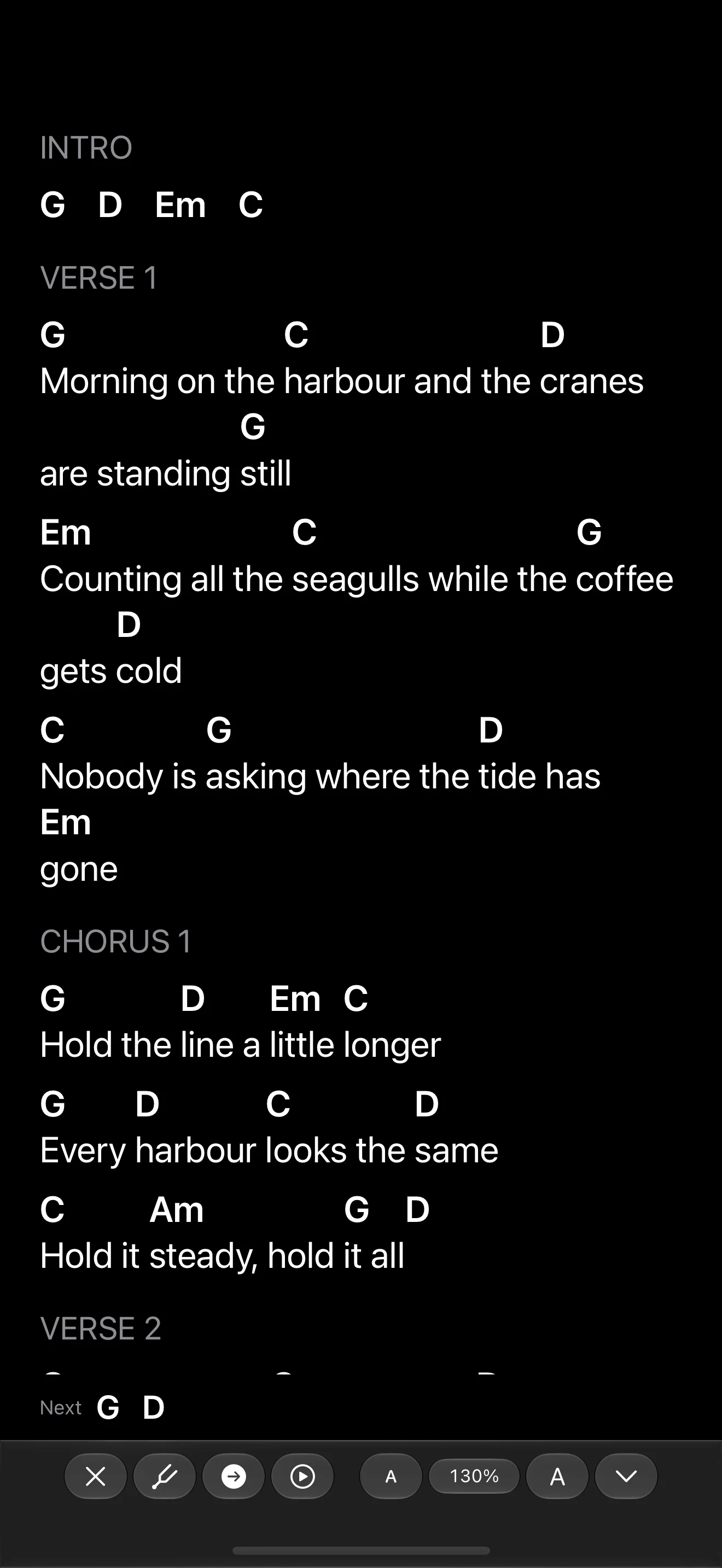
Nothing on the Stand but the Song
Big type, next chords at a glance, nothing to bump mid-song
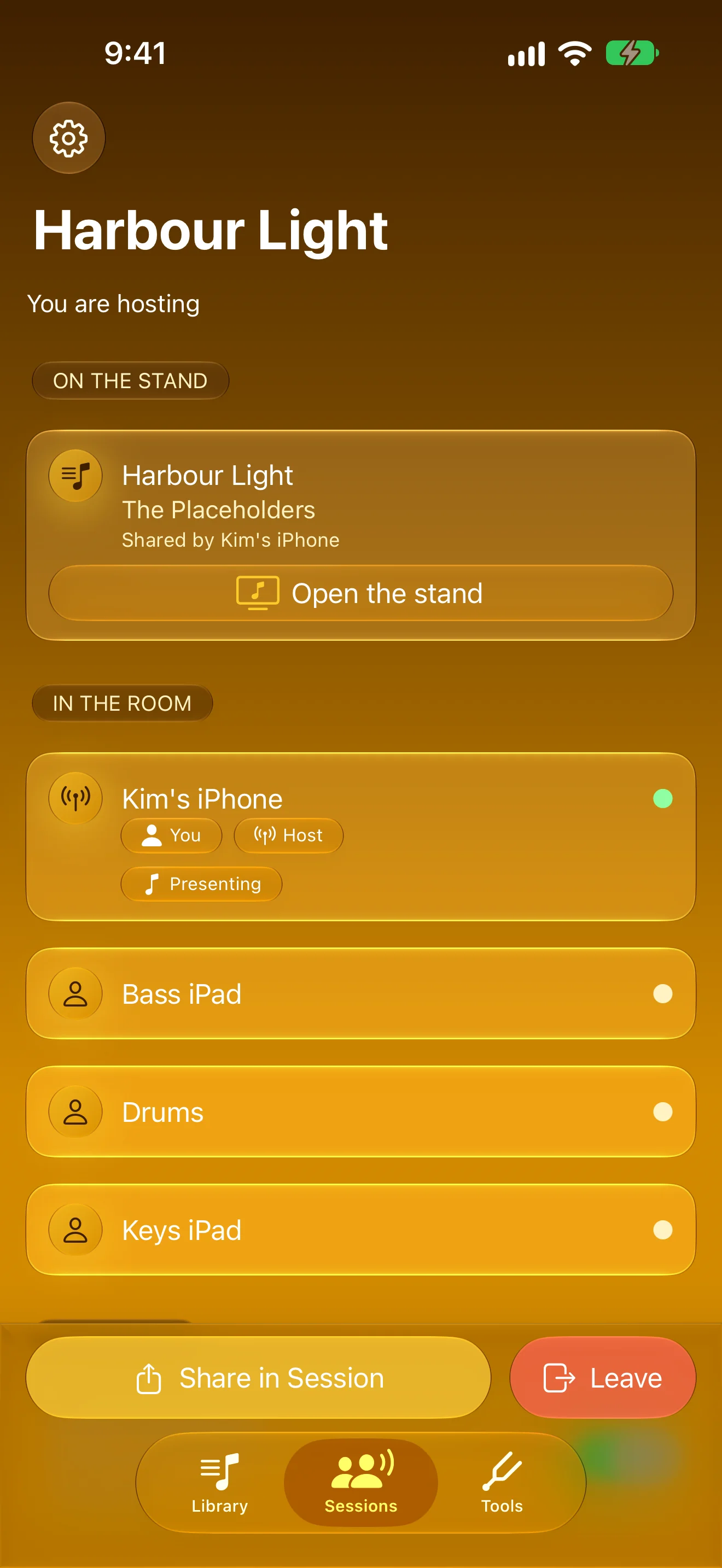
The Whole Band, Same Line
Host a session; every phone and iPad in the room follows
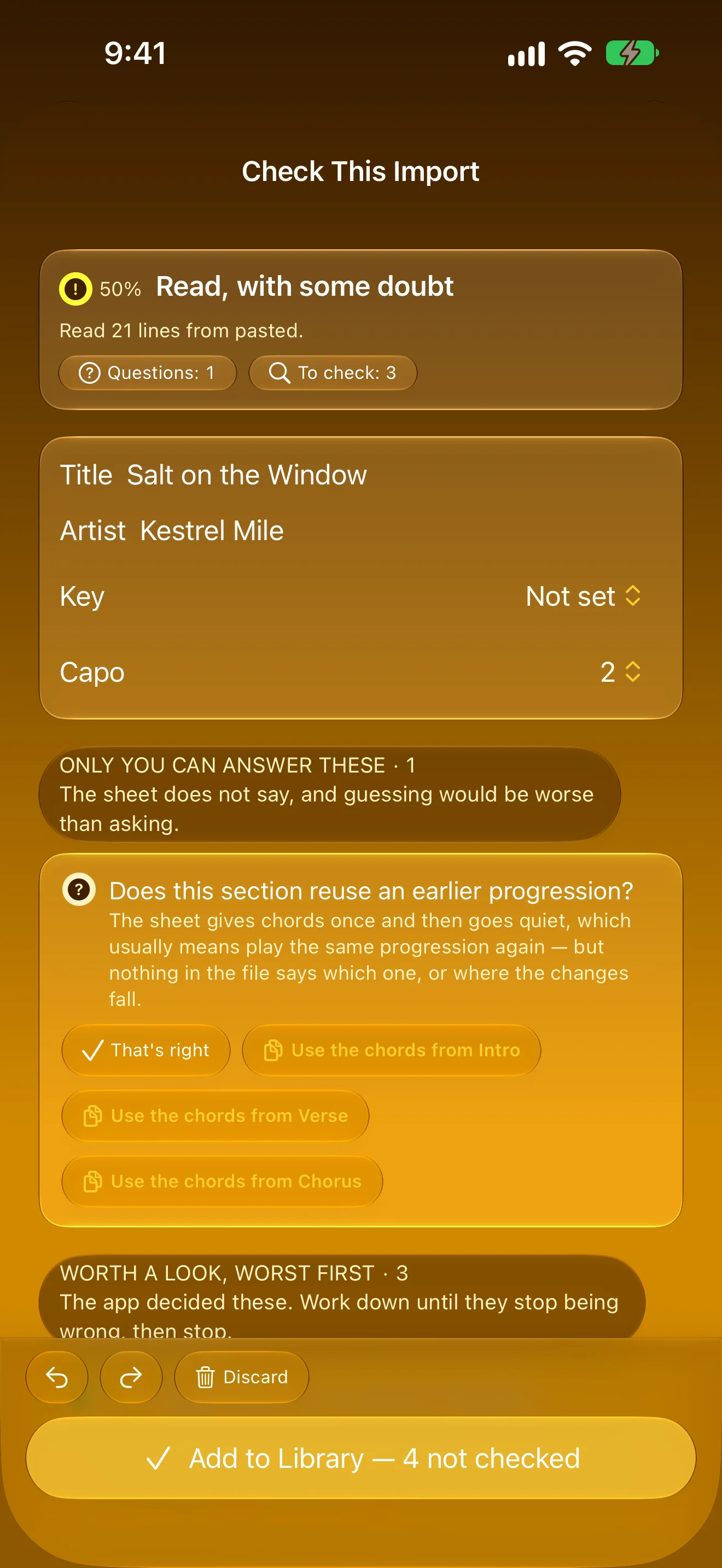
Bring the Messy Sheet You Have
Paste it or open a Word file — check only the flagged lines
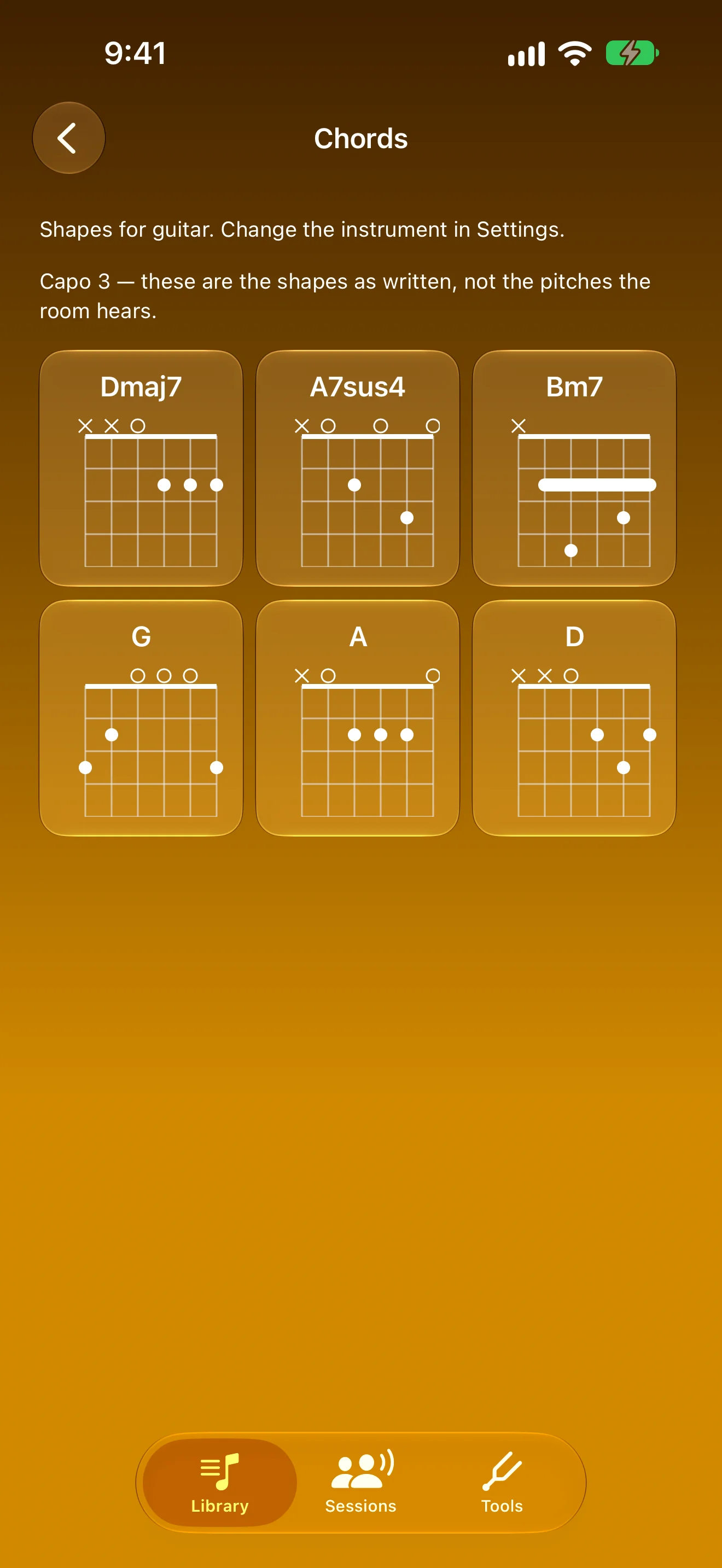
Every Shape in the Song
Chord diagrams for guitar or ukulele, one tap away
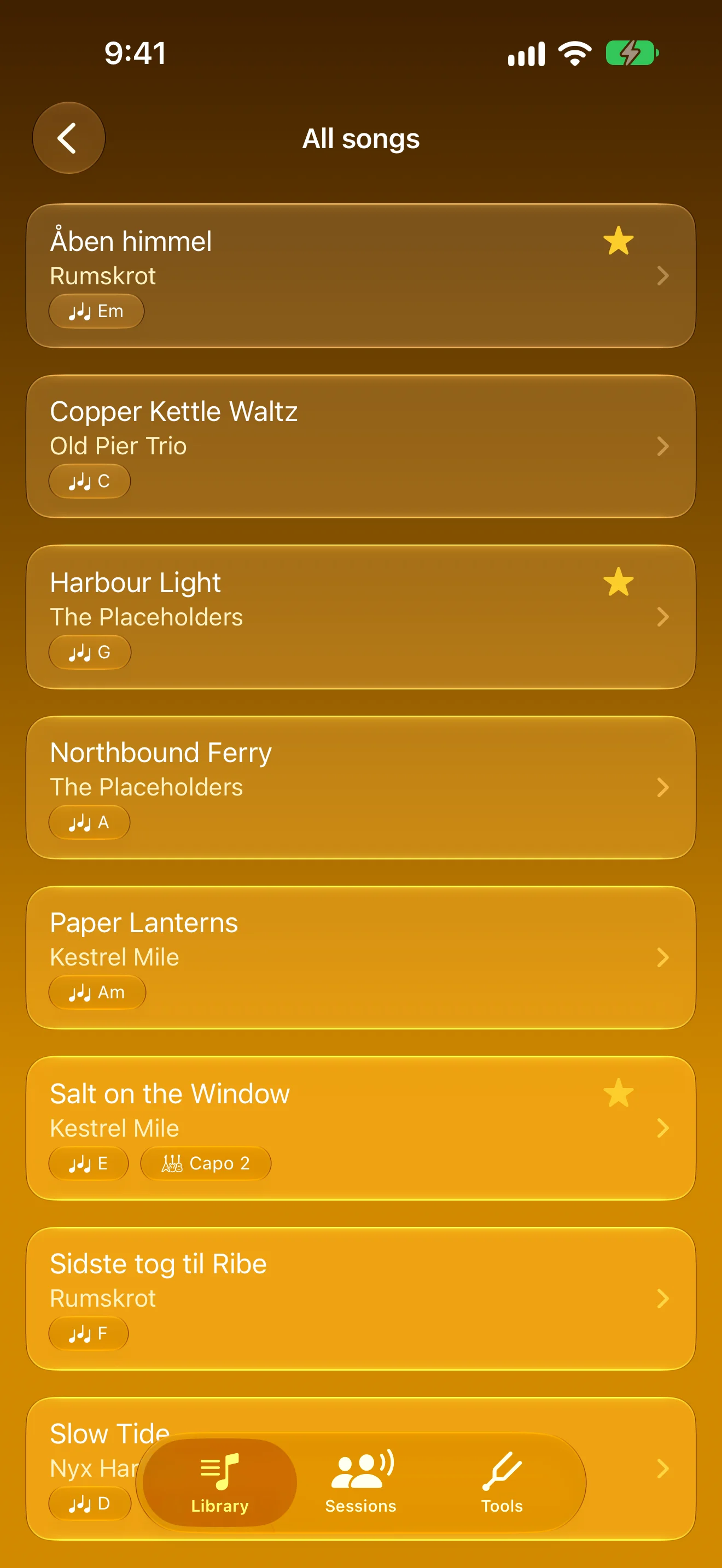
Your Songbook, One Place
Favourites, recently played, and search you can speak to
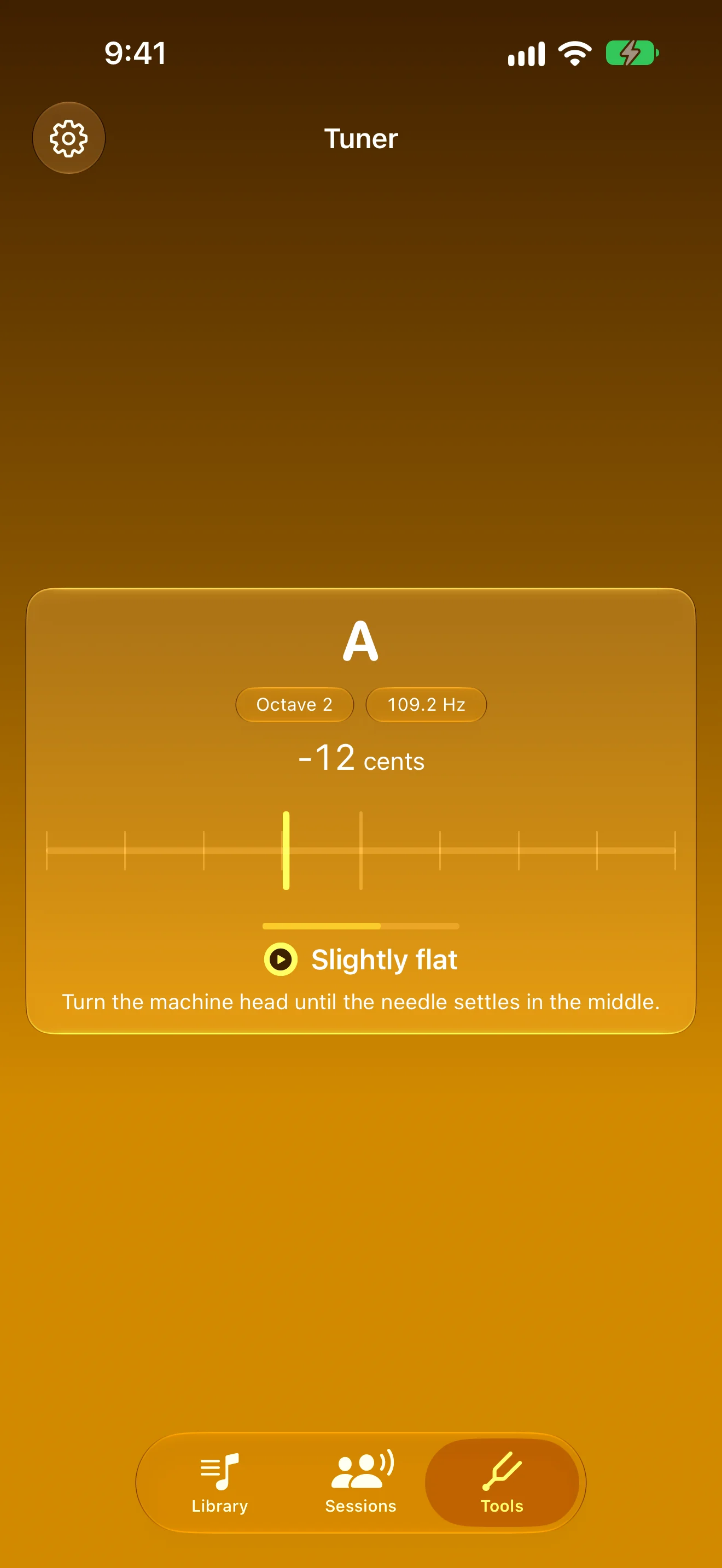
A Tuner That Holds Still
A steady chromatic needle, one tap from the stand
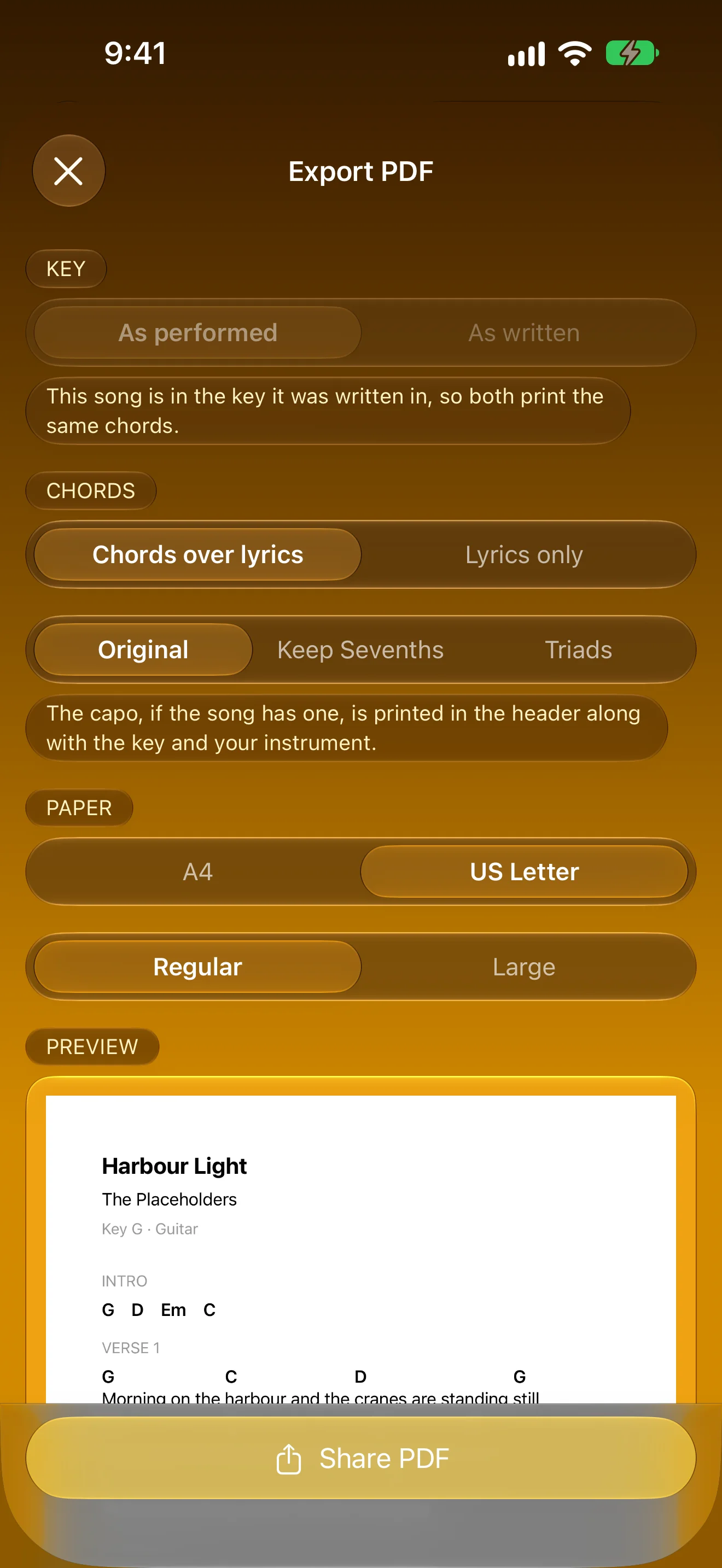
Print It for Rehearsal
A clean PDF chord sheet at a size you can read
iPad
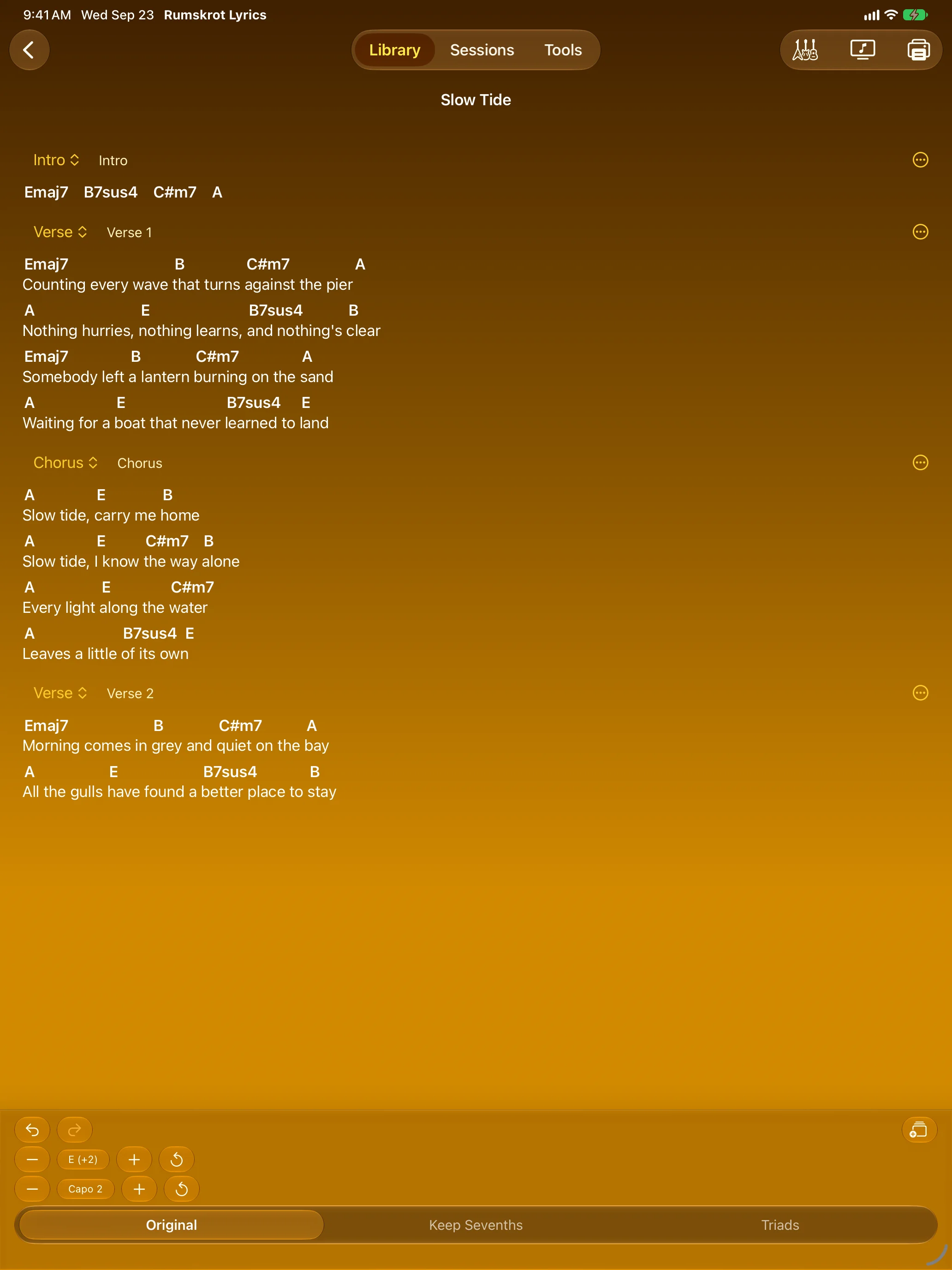
Transpose and Capo, Kept Apart
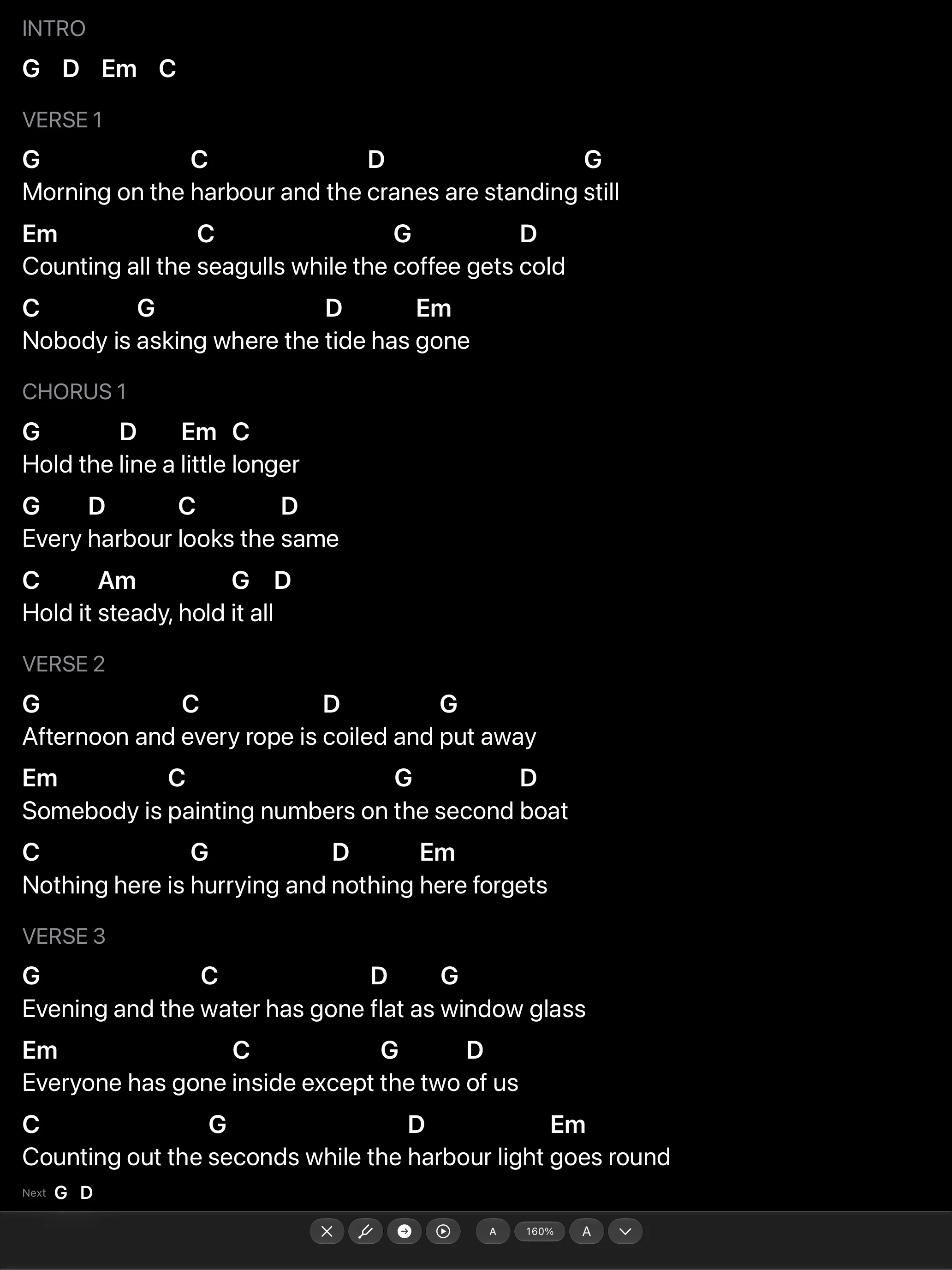
Nothing on the Stand but the Song
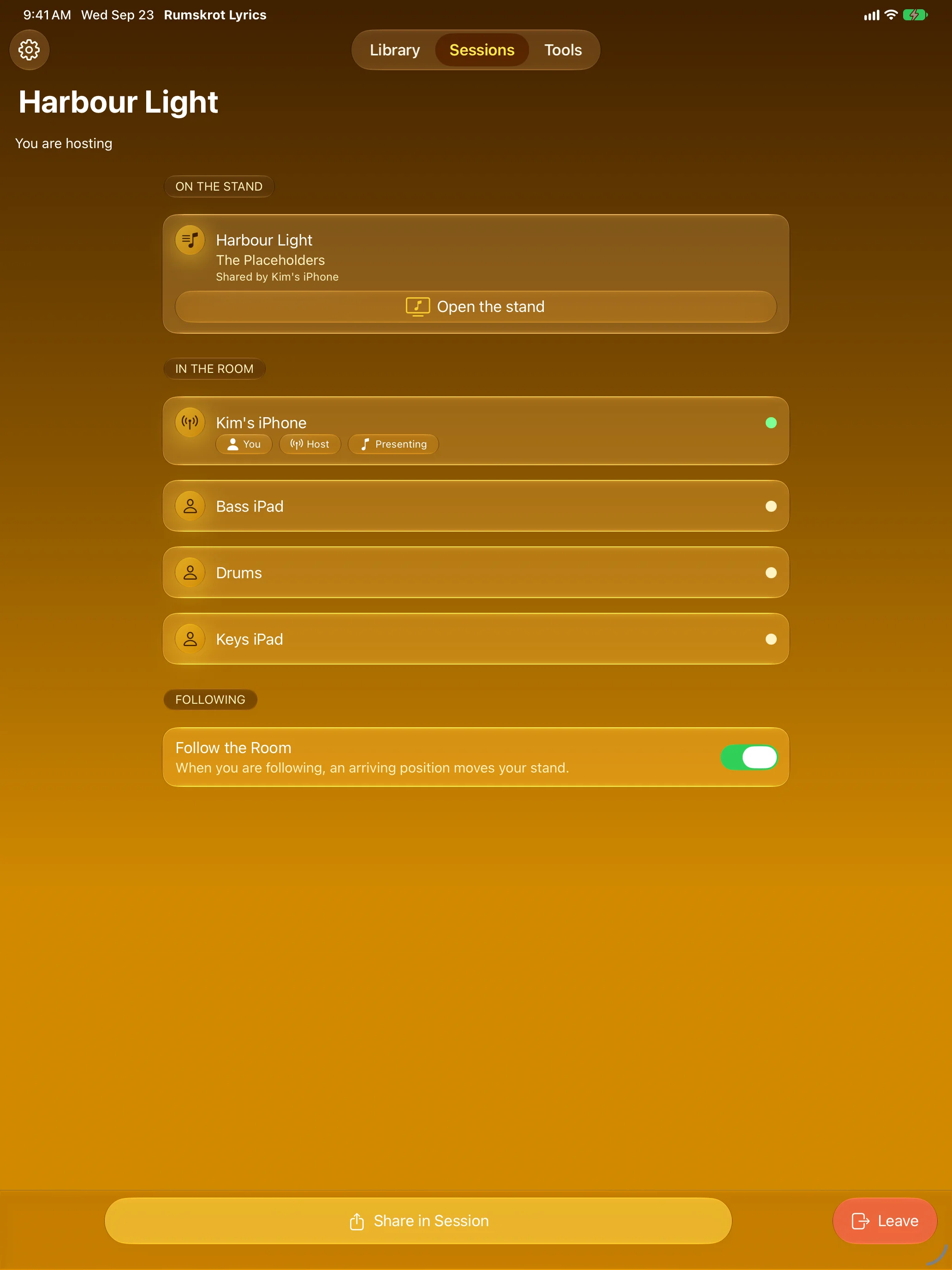
The Whole Band, Same Line
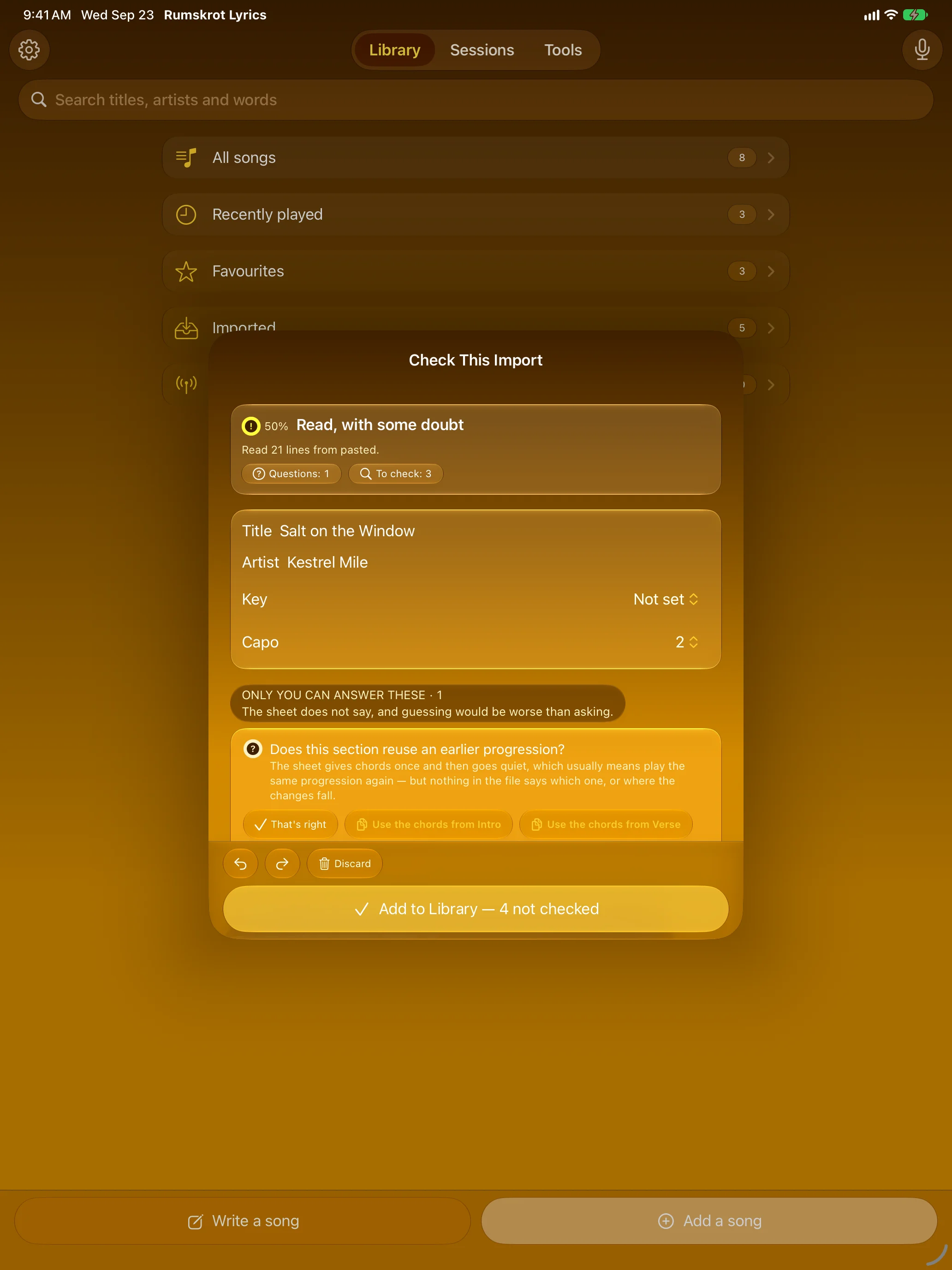
Bring the Messy Sheet You Have
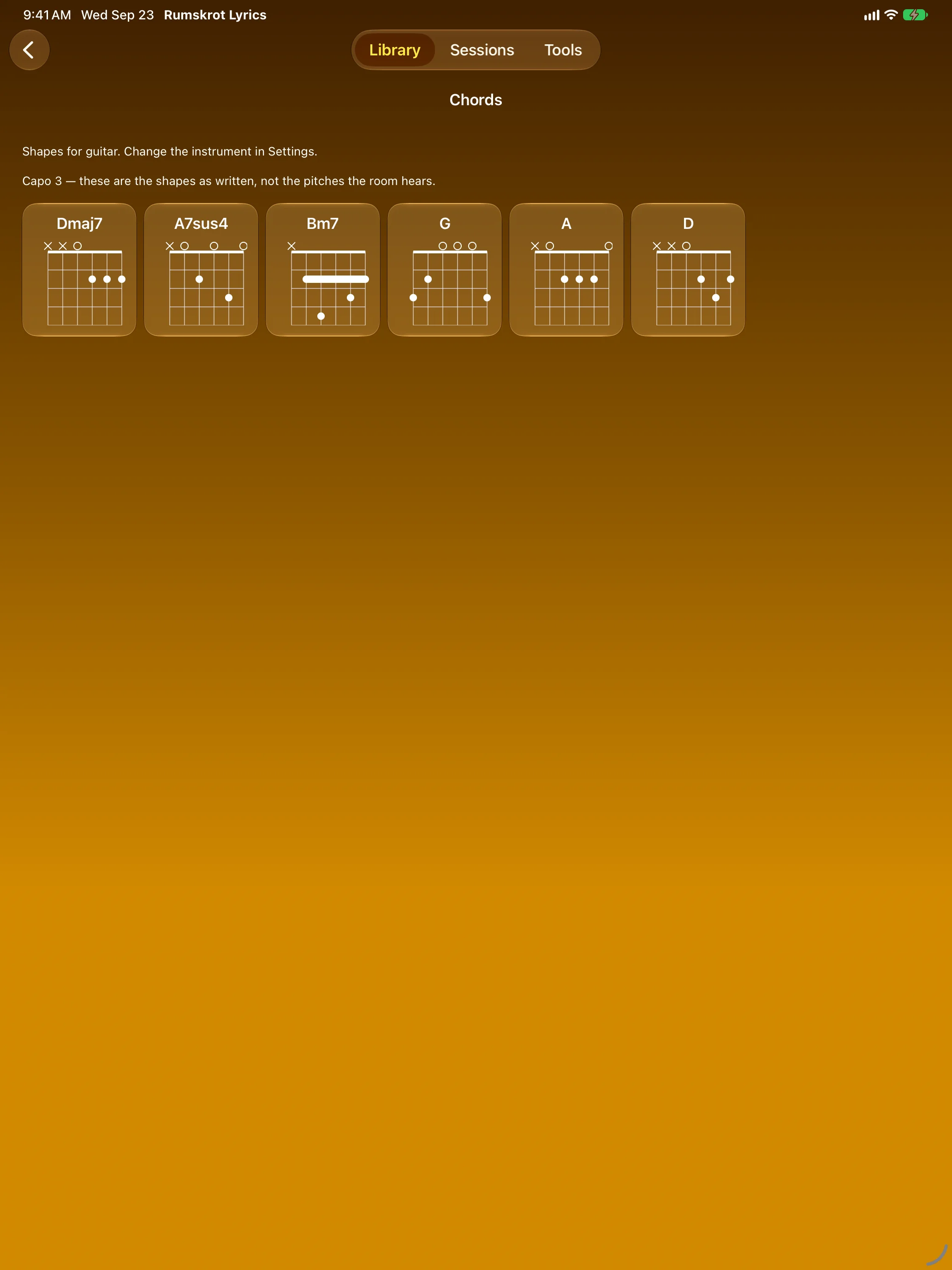
Every Shape in the Song
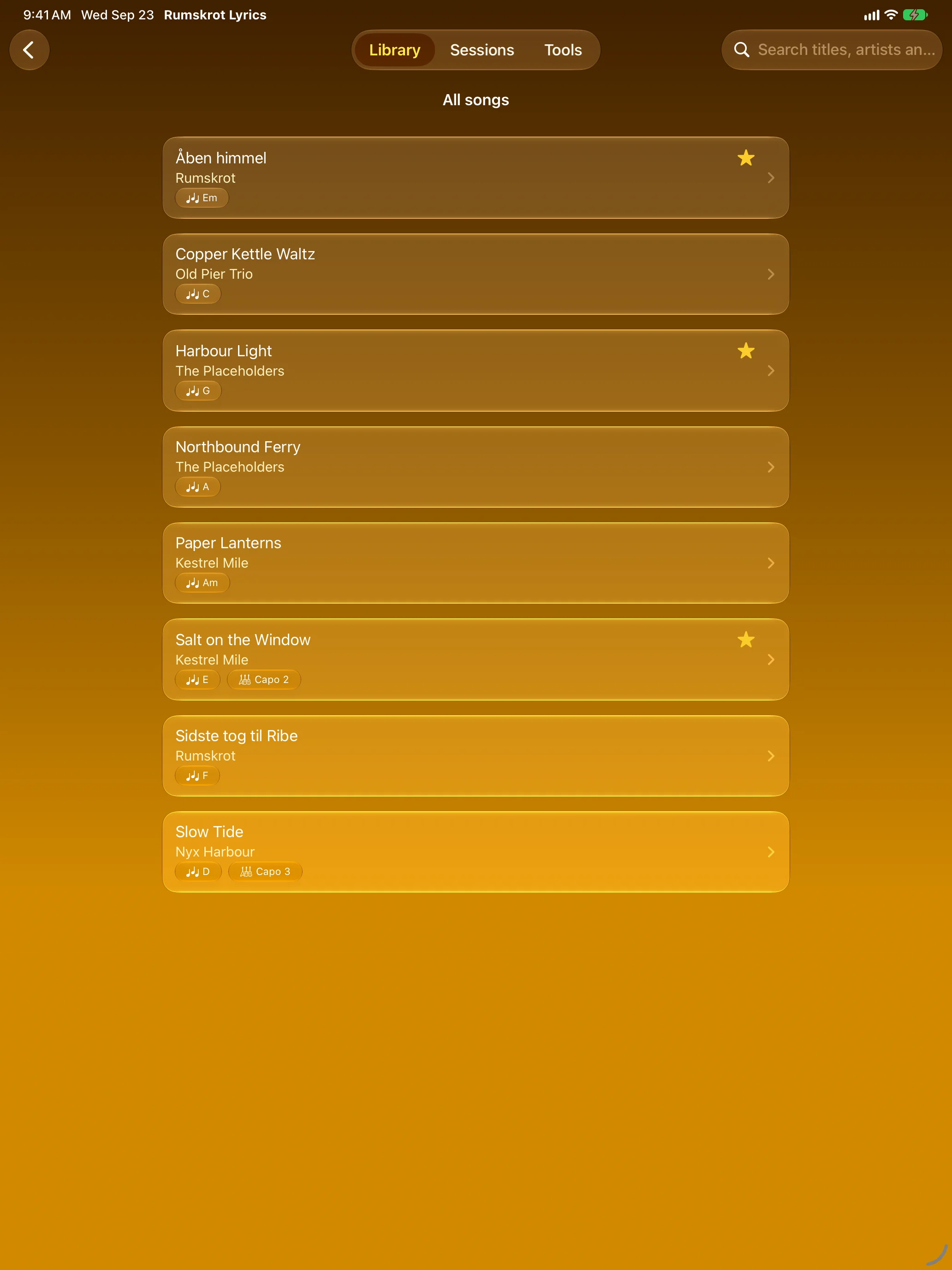
Your Songbook, One Place
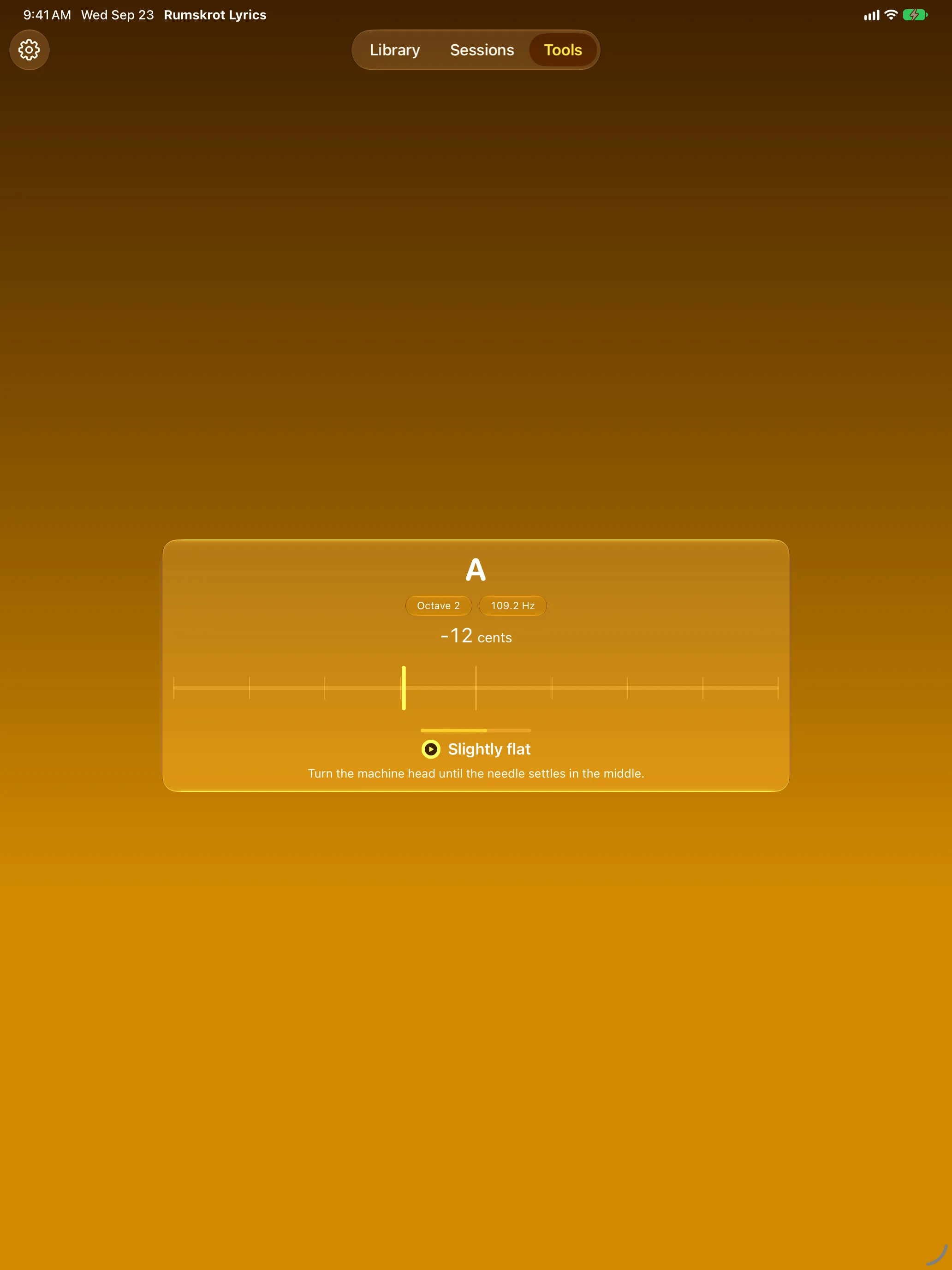
A Tuner That Holds Still
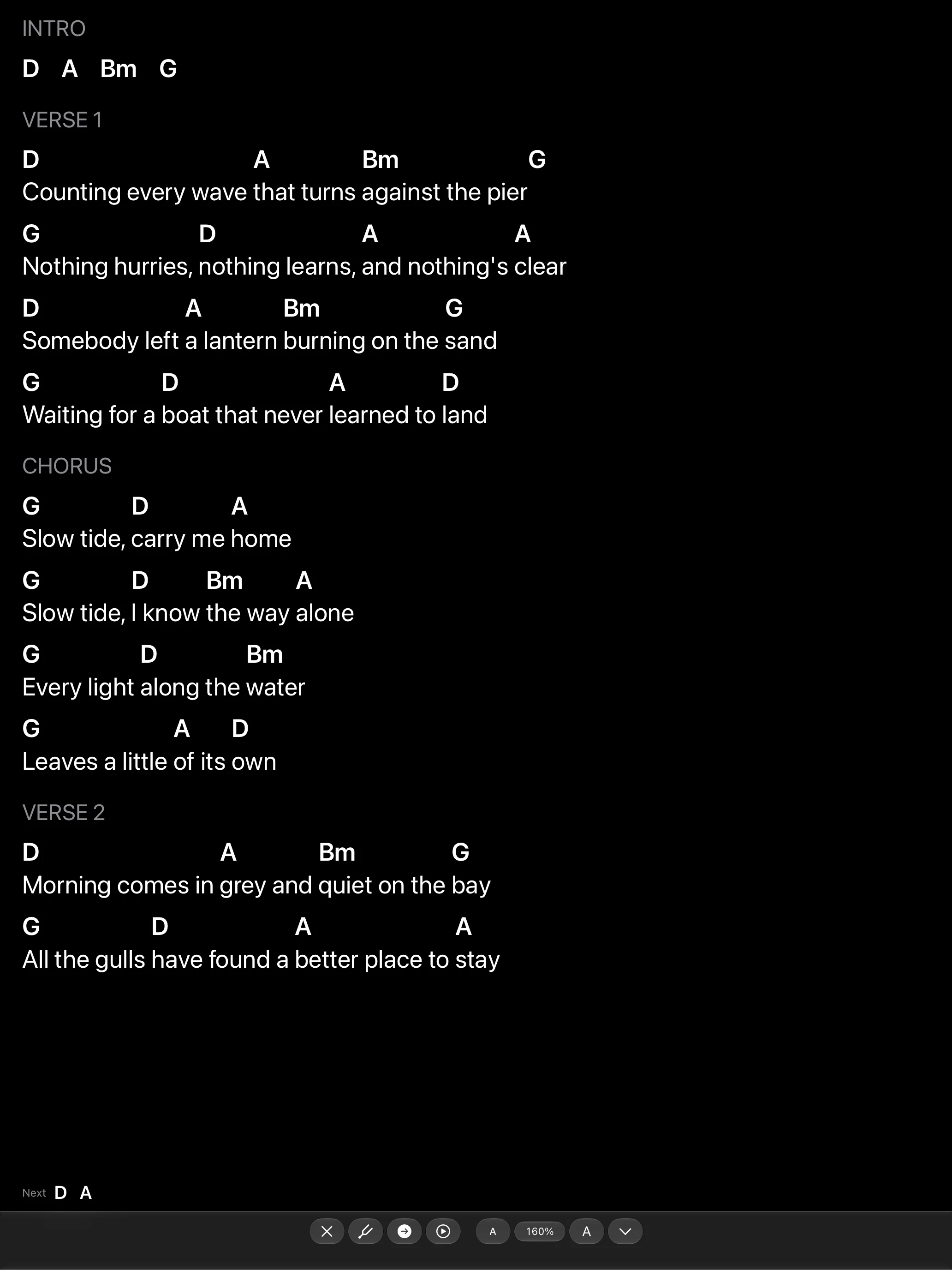
Simpler Chords for Rehearsal
Features
A Real Chord Sheet at Any Size
Chords are anchored to lyric syllables, not to runs of spaces, so the sheet re-flows correctly at every text size and on every screen width.
The Stand
Performance mode is the song and nothing else: large type, a scale you set yourself, an optional next-chords cue and auto-scroll.
Local Sessions
Host a session and everyone who joins follows the same place in the song on their own device. Put a song up and it goes up on every stand; hand one to a bandmate and it lands in their library.
Honest Import
Paste text, open a Word document or text file, share a sheet in from another app, or scan a printed page. When the importer isn’t sure about a line, it says so.
Transpose, Capo, Simplify
Three separate controls: move the key, set the capo fret, or play sevenths and extensions as plain triads — without changing the song underneath.
Chord Diagrams
Every chord shape a song uses, for guitar or ukulele, one tap from the sheet.
Chromatic Tuner
A needle that settles instead of twitching, reachable from the Tools tab or straight from the stand between songs.
Spoken Search & PDF Export
Say a song’s name to find it. Export a clean PDF chord sheet for the rehearsal-room wall.
Private by Design
Songs live in your own library on your own device. Sessions run directly between nearby devices. No account, no backend, no analytics, no third-party SDKs.
About
Rumskrot Lyrics is part of the Rumskrot toolbelt of native, privacy-first Swift apps. It is built for the moment a band sits down with five different copies of the same song — and makes it one.
It pairs with the rest of the toolbelt: Rumskrot Beacon for network probes, Rumskrot Terminal for SSH, and Rumskrot Nearfield for NFC tags.
Join the beta
Want a say in where Rumskrot Lyrics goes next? Join the public beta on TestFlight and try new builds before they reach the App Store.
The beta runs in Apple’s TestFlight app. Install TestFlight, then tap Join — TestFlight installs the beta build of Rumskrot Lyrics and offers each new build as it’s ready.
Purchases in TestFlight builds are test purchases: you’re never charged, and they don’t carry over to your account or to the App Store version. Purchases in the App Store version are real — please make sure which version you’re using; we can’t take responsibility for purchases made by mistake.
Spot a bug, a rough edge or a missing feature? Take a screenshot in the beta build and TestFlight offers to send it as feedback, or use Send Beta Feedback in the TestFlight app. Every report is read and helps decide what gets built and fixed next — there’s no support desk behind it, so reports aren’t answered one by one.
To leave the beta, open Rumskrot Lyrics in the TestFlight app and tap Stop Testing.